16. OPTIONS/MODIFICATIONS
Modication to AIRMATE-USB from 220V to 110V
CAUTION!
The AIrmATe-USB POwer PCB IS CONNeCTed TO
hIgh vOlTAge!
remOve POwer CABle BeFOre ServICINg!
Modications should only be done by qualied service technicians!
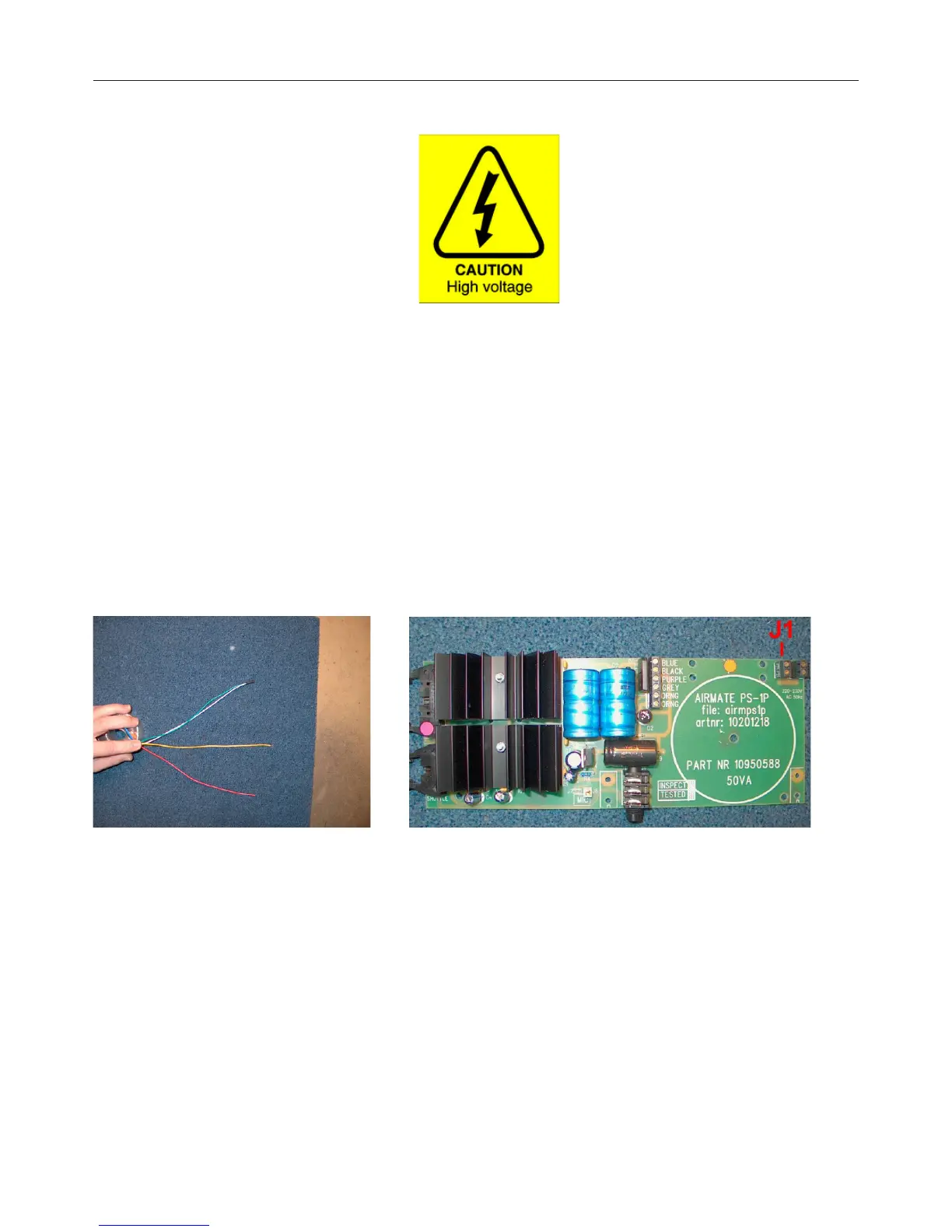
The following picture displays the 230V wiring.
Green and White are connected to together and Red and Yellow are connected to connector J1.
To modify the power-supply to 115volt AC there are two necessary steps to follow.
1) The power-cabling to the transformer needs to be rerouted.
2) The fuse needs to be replaced.



 To Next Page