25
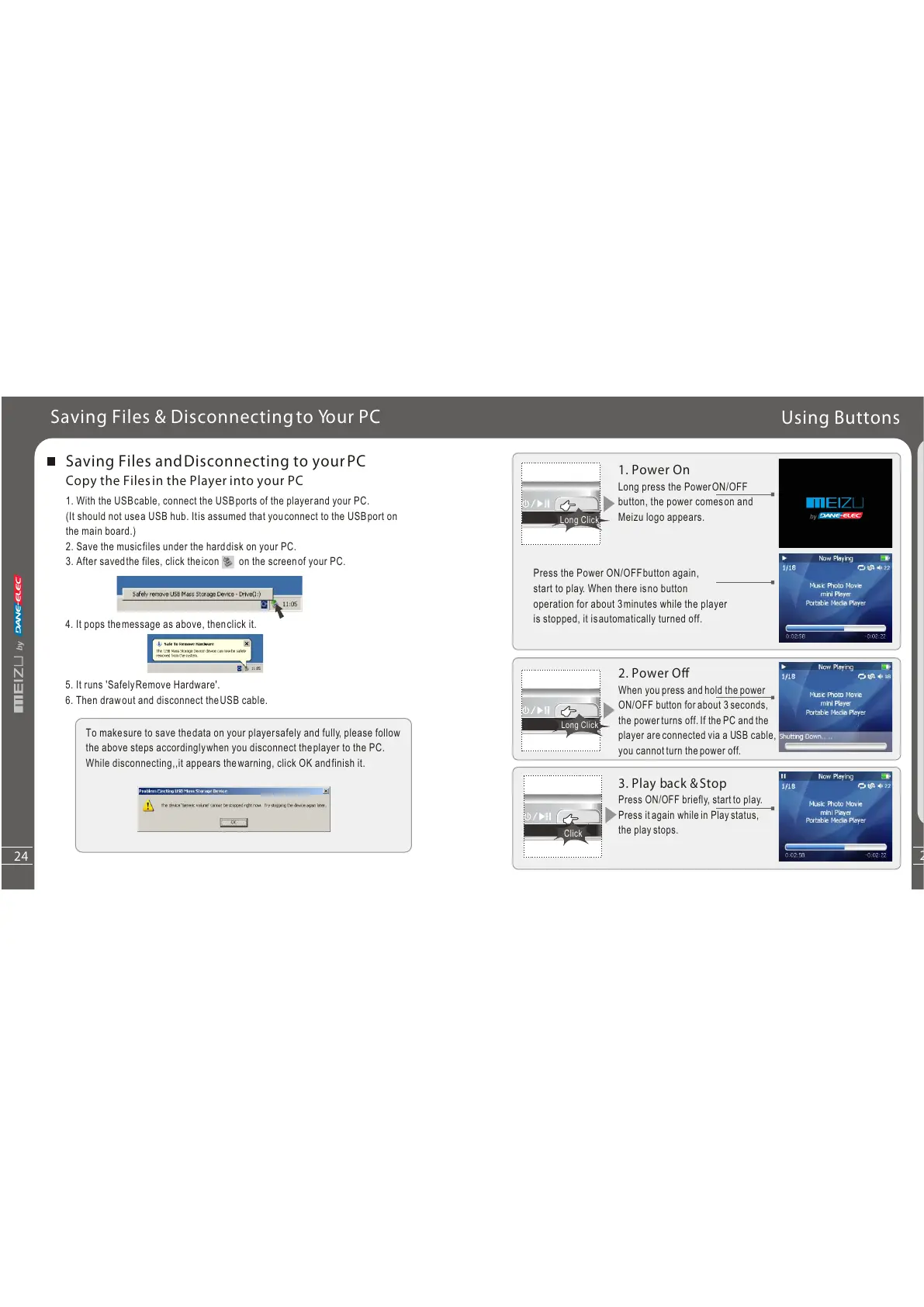
1. Power On
Long press the PowerON/OFF
button, the power comeson and
Meizu logo appears.
Using Buttons
Long Click
Long Click
Click
Press the Power ON/OFFbutton again,
start to play. When there isno button
operation for about 3minutes while the player
is stopped, it isautomatically turned off.
2. Power O
When you press and hold the power
ON/OFF button for about 3 seconds,
the power turns off. If the PC and the
player are connected via a USB cable,
you cannot turn the power off.
3. Play back &Stop
Press ON/OFF briefly, start to play.
Press it again while in Play status,
the play stops.
Quick
S
t
art
3
24
Saving Files andDisconnecting to yourPC
Copy the Filesin the Player into your PC
1. With the USBcable, connect the USBports of the playerand your PC.
(It should not usea USB hub. Itis assumed that youconnect to the USBport on
the main board.)
2. Save the musicfiles under the harddisk on your PC.
3. After savedthe files, click theicon on the screenof your PC.
4. It pops themessage as above, thenclick it.
5. It runs 'SafelyRemove Hardware'.
6. Then drawout and disconnect theUSB cable.
To makesure to save thedata on your playersafely and fully, please follow
the above steps accordinglywhen you disconnect theplayer to the PC.
While disconnecting,,it appears thewarning, click OK andfinish it.
Saving Files & Disconnectingto Your PC



 To Next Page