41
Using VirtualDub forMEIZU Mini Player,you can conveniently transformand view video
files which are compatiblewith the player,the files formats areAVI.
1. Installing VirtualDub for MEIZU Mini Player
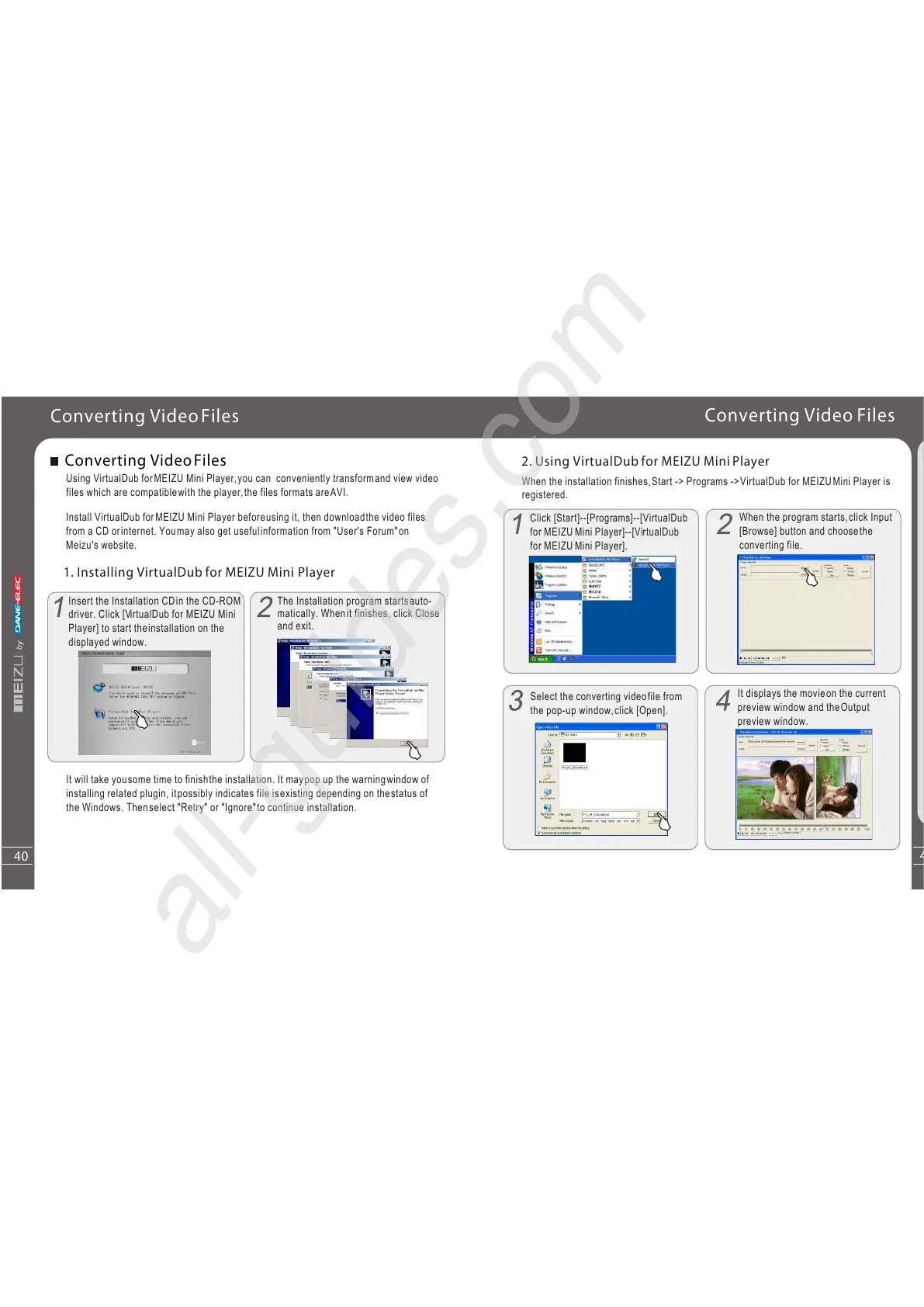
Insert the Installation CDin the CD-ROM
driver. Click [VirtualDub for MEIZU Mini
Player] to start theinstallation on the
displayed window.
Converting VideoFiles
Converting VideoFiles
Install VirtualDub forMEIZU Mini Player beforeusing it, then downloadthe video files
from a CD orinternet. Youmay also get usefulinformation from "User's Forum"on
Meizu's website.
The Installation program startsauto-
matically. Whenit finishes, click Close
and exit.
It will take yousome time to finishthe installation. It maypop up the warningwindow of
installing related plugin, itpossibly indicates file isexisting depending on thestatus of
the Windows. Thenselect "Retry" or "Ignore"to continue installation.
Q
u
i
c
kS
ta
rt
3
40
Click [Start]--[Programs]--[VirtualDub
for MEIZU Mini Player]--[VirtualDub
for MEIZU Mini Player].
2. Using VirtualDub for MEIZU Mini Player
When the installation finishes,Start -> Programs ->VirtualDub for MEIZUMini Player is
registered.
Converting Video Files
When the program starts,click Input
[Browse] button and choosethe
converting file.
Select the converting videofile from
the pop-up window,click [Open].
It displays the movieon the current
preview window and theOutput
preview window.



 To Next Page