51
Play RecordingFiles
Play Recording Files
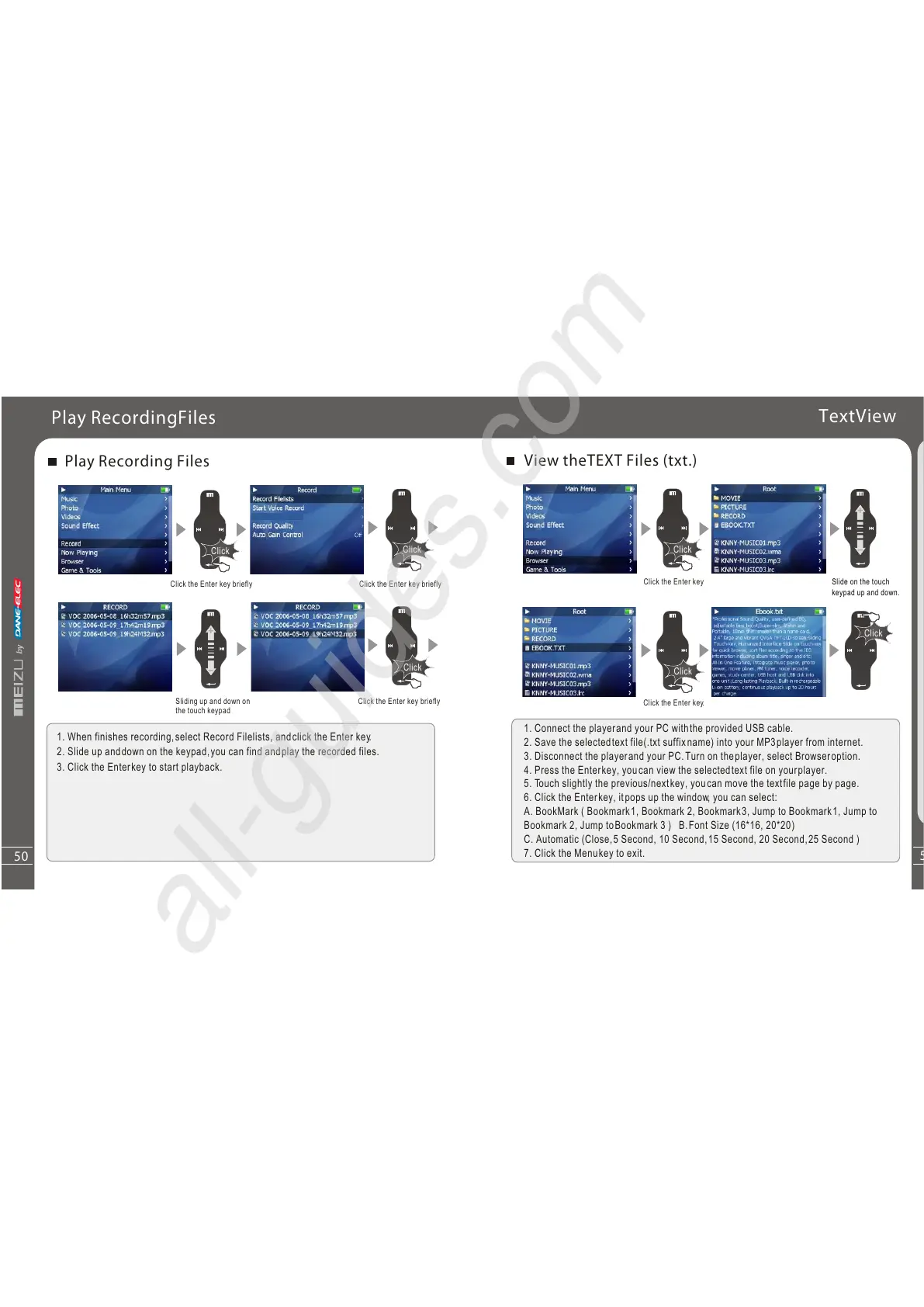
1. When finishes recording,select Record Filelists, andclick the Enter key.
2. Slide up anddown on the keypad,you can find andplay the recorded files.
3. Click the Enterkey to start playback.
Click
Click
Click
Click the Enter key briefly
Click the Enter key briefly
Sliding up and down on
the touch keypad
Click the Enter key briefly
50
Q
u
i
c
kS
ta
rt
3
Click
Click
Click
TextView
View theTEXT Files (txt.)
1. Connect the playerand your PC withthe provided USB cable.
2. Save the selectedtext file(.txt suffixname) into your MP3player from internet.
3. Disconnect the playerand your PC.Turn on theplayer, select Browseroption.
4. Press the Enterkey, youcan view the selectedtext file on yourplayer.
5. Touch slightly the previous/nextkey, youcan move the textfile page by page.
6. Click the Enterkey, itpops up the window, you can select:
A. BookMark ( Bookmark1, Bookmark 2, Bookmark3, Jump to Bookmark1, Jump to
Bookmark 2, Jump toBookmark 3 ) B.Font Size (16*16, 20*20 )
C. Automatic (Close,5 Second, 10 Second,15 Second, 20 Second,25 Second )
7. Click the Menukey to exit.
Click the Enter key
Slide on the touch
keypad up and down.
Click the Enter key.



 To Next Page