63
Formatting the FlashMemory
The flash Memory ofthe player can beformatted. Please use Windowsformat tools
to format the player, and restore read& write operations offile systems.
If the flash Memoryis formatted, all datastored within is lost.
Take noticeof this fact, examinethe following procedures.
Before formatting
Finished installation of theplayer manager program
Connecting the player toyour PC
B
ackup all data storedin the player
Operating procedures
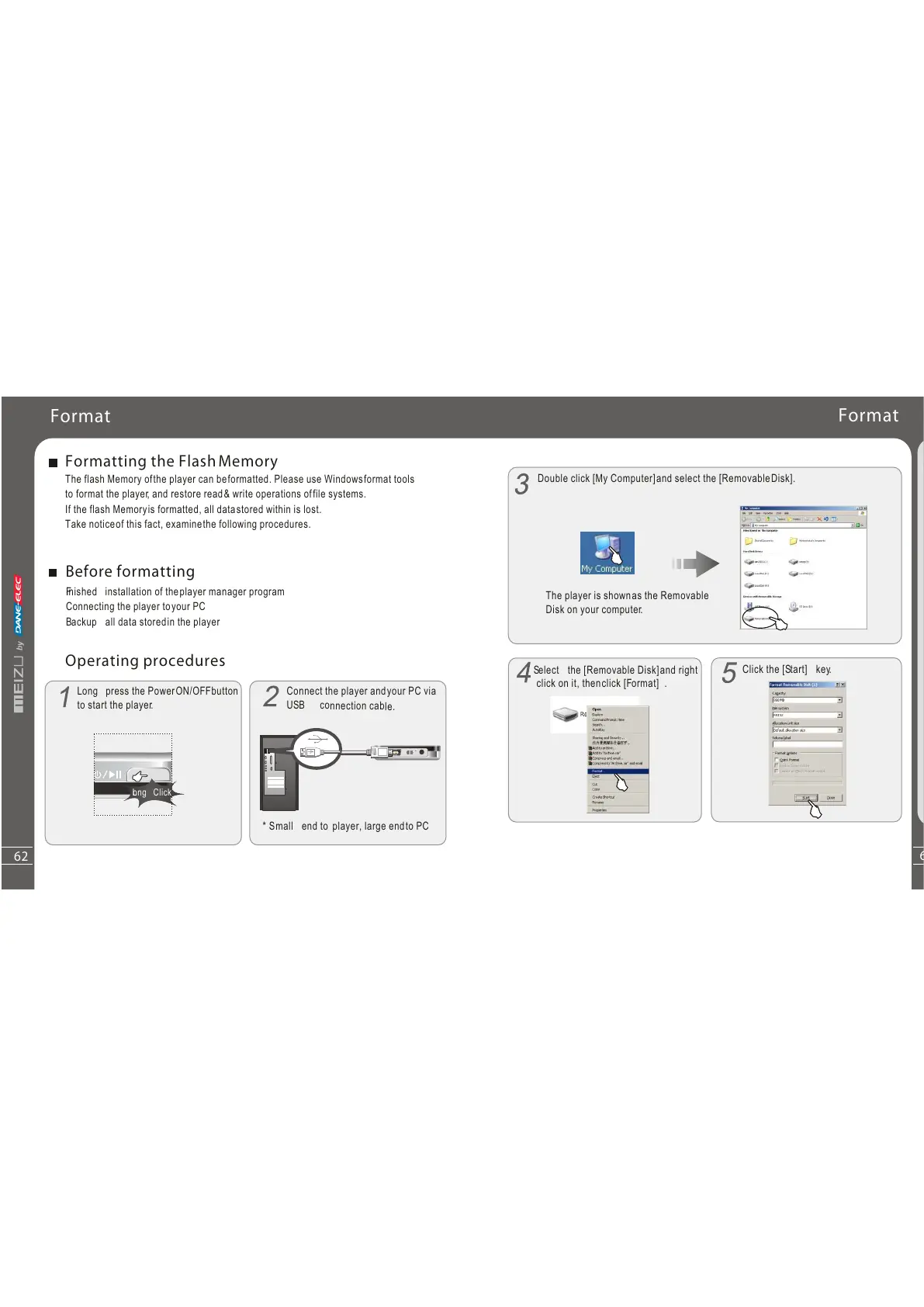
Long press the Power ON/ OFF
to start the player.
Connect the player andyour PC via
US
B connection cable.
* Small end to player, large endto PC
Format
Long Click
62
Additiona
lInf
orma
ti o n
6
Double click [My Computer]and select the [RemovableDisk].
Click the [Start] key.
Select the [Removable Disk]and right
click on it, thenclick [Format] .
Format
The player is shownas the Removable
Disk on your computer.
button



 To Next Page