User manual for DM700 ECDIS hardware
Copyright Danelec Marine A/S
MAN11804-10 Page 11/30
3 Monitor HMI
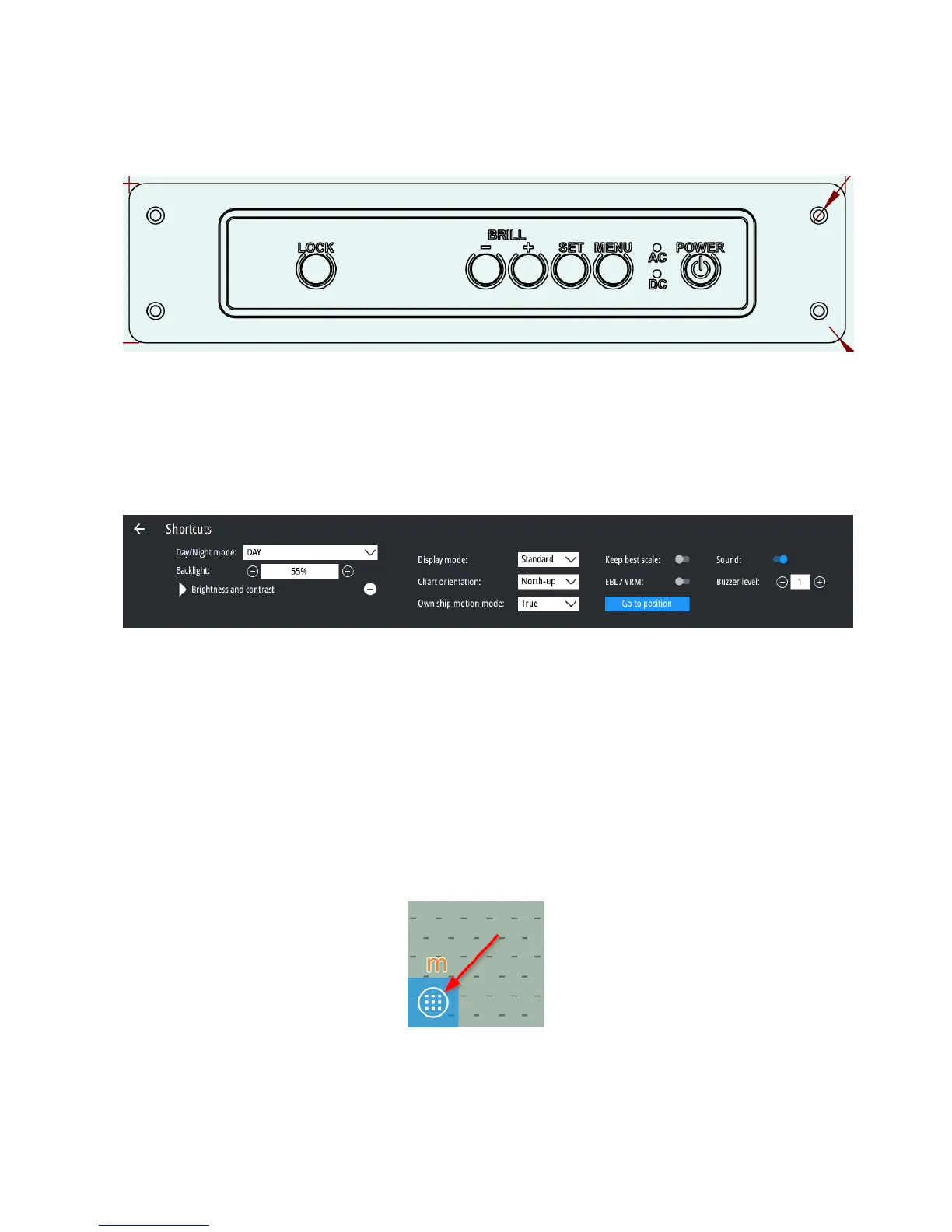
The monitor HMI must be mounted either directly on the monitor’s hinge, or panel-mounted
adjacent to the flush-mounted monitor.
3.1 Alert buzzer
The ECDIS will generate an audible alarm following an error - e.g., if the signal from the GPS is
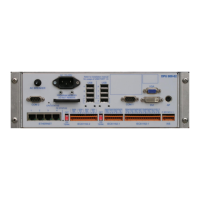
lost. The volume of the alarm signal may be adjusted in the ECDIS application. Go to the shortcut
menu and adjust the volume using the buzzer volume controls.
(see DBS11425 “User Manual for Danelec Marine ECDIS software” for further details).
3.2 ECDIS computer shutdown
There are 2 ways to set the ECDIS to standby:
Software standby
Hardware standby
To start the system again, follow the procedure in section 3.3 “ECDIS computer restart”
3.2.1 Software standby
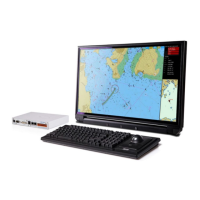
The normal procedure for closing the ECDIS (i.e. setting the ECDIS to standby) is to open the
“Main Menu” in the bottom left corner


 To Next Page