User manual for DM700 ECDIS hardware
Copyright Danelec Marine A/S
MAN11804-10 Page 13/30
4 Monitor
4.1 Control panel on monitor
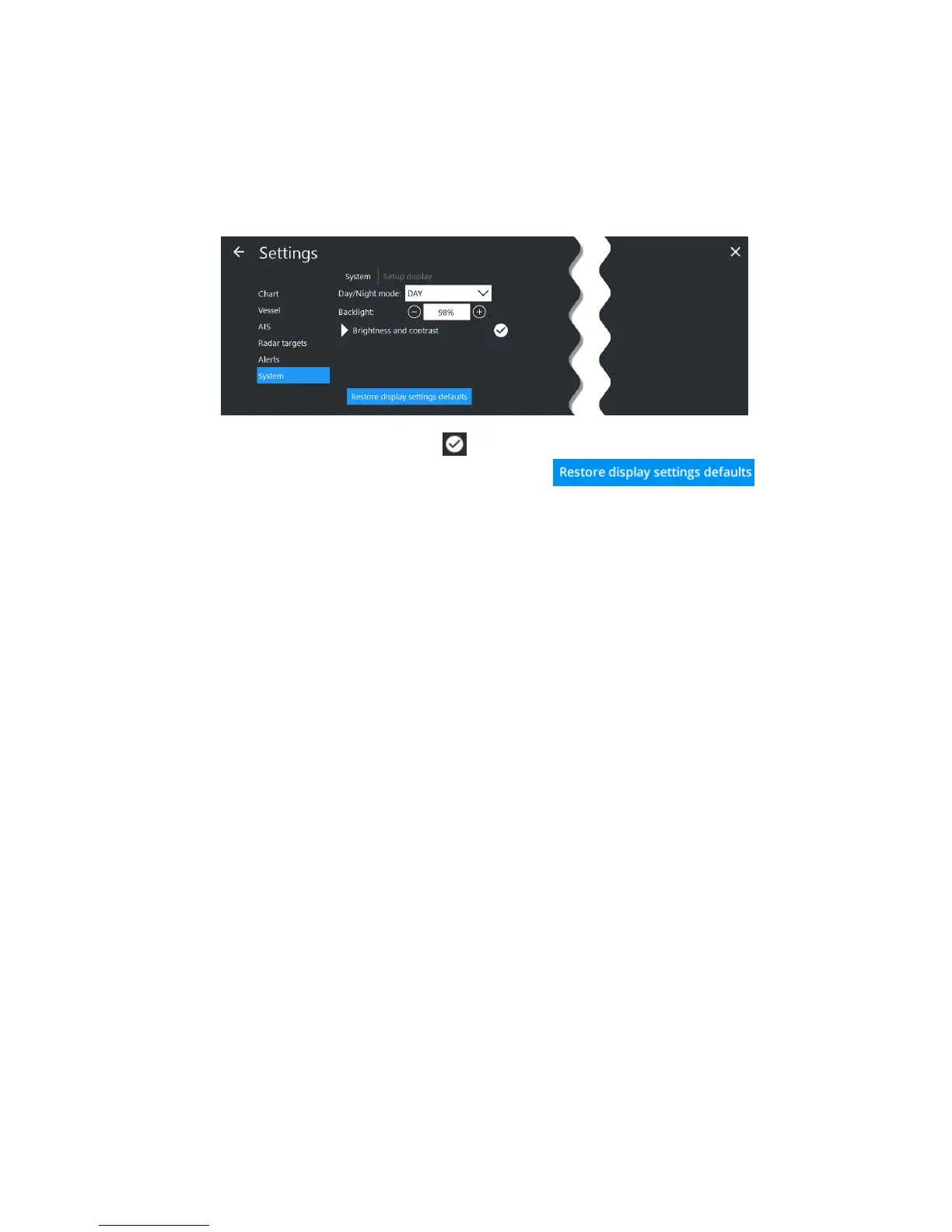
The brightness can be controlled from the ECDIS software
(Main MenuSettingsSystemDisplay or Main MenuShortcuts).
Note that the monitor is not calibrated unless is shown next to the brightness and contrast field.
The default (calibrated) level can be restored by pressing the
or by pressing the keyboard function key – F8.
4.1.1 North Invent WAVE monitor:
All monitor settings are controlled from the ECDIS Software.
4.1.2 Returning backlight to normal
If the backlight is turned off and/or the monitor mode is set to night, it can be difficult to see if the
monitor is on. Press F6 to switch between monitor modes, and use F8 to restore each monitor mode
to its calibrated settings.
4.2 Control of Monitor
The color generating capability of the monitor may deteriorate over time. How the quality of the
monitor is checked is described in “Appendix A – Color Differentiation Test”
4.3 Nominal viewing distance
The viewing distances for the supported monitors are:
North Invent Wave WA190-01 (19”): 70cm
North Invent Wave WA240-01 (24”): 100cm
North Invent Wave WA270-01 (27”): 100cm



 To Next Page