User manual for DM700 ECDIS hardware
Copyright Danelec Marine A/S
MAN11804-10 Page 17/30
7 System Management menu
The ECDIS includes a System Management menu for performing special non-standard tasks.
Note: The System Management Menu should only be used by personnel with proper
authorization, as incorrect use may result in loss of chart licenses.
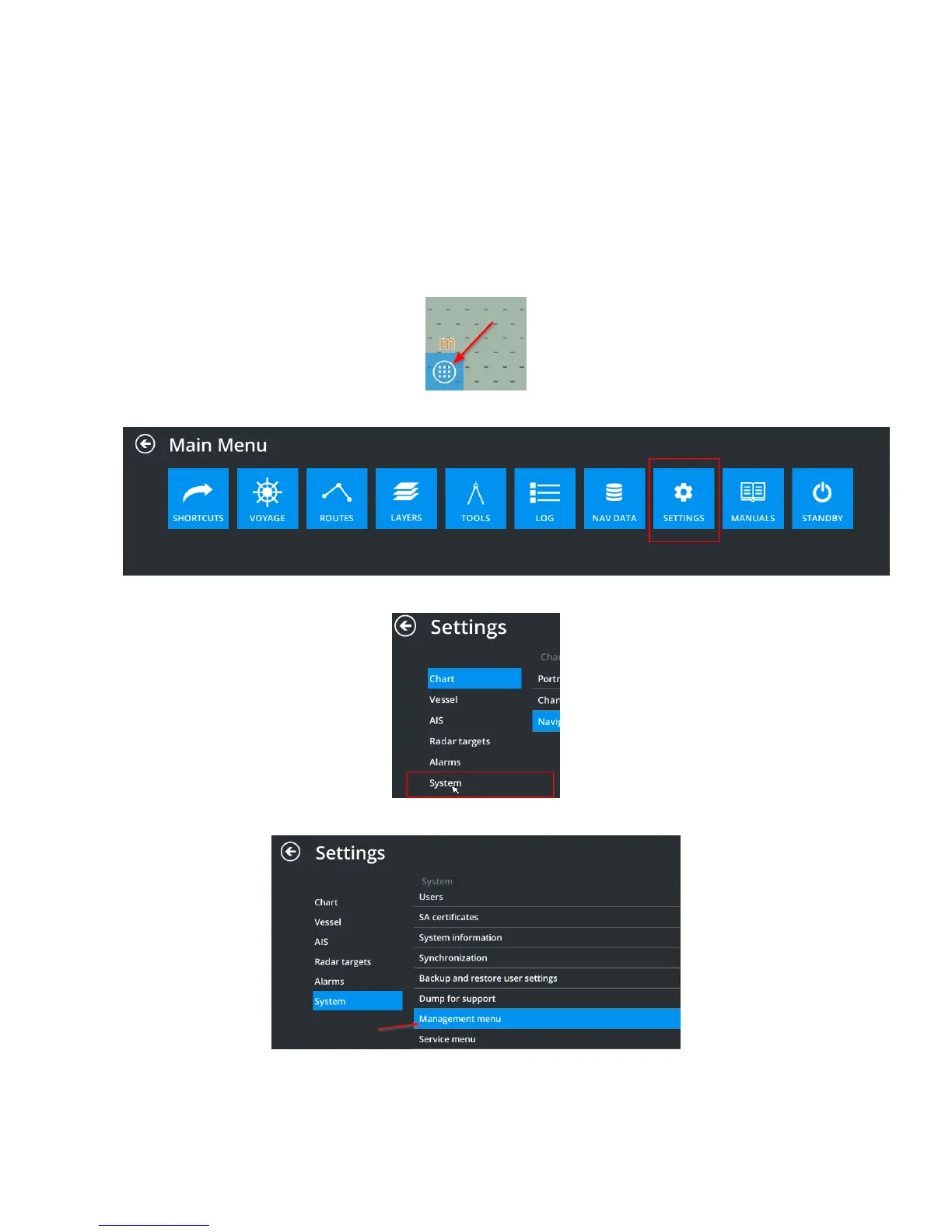
The “Management Menu” is located in the SettingsSystemManagement menu.
To open the menu, do the following:
1. Open the “Main Menu” by clicking the menu icon in the bottom left corner:
2. In the “Main Menu”, select “Settings”
3. In the “Settings” menu, select the “System” sub-menu
4. In the “System” sub-menu, select “Management menu”



 To Next Page