User manual for DM700 ECDIS hardware
Copyright Danelec Marine A/S
MAN11804-10 Page 29/30
9 Appendix A – Color Differentiation Test
The color generating capability of any type of display screen will deteriorate with age. The Color
Differentiation Test diagram is provided to enable the mariner to verify that his display screen still
retains the color differentiation capability needed to distinguish between the various color-coded
areas, lines and point symbols of the ECDIS display.
The Color Test should be applied to the day and dusk color palettes.
Before the Color Test diagram is used, the black-adjust symbol SY(BLKADJ) should be brought up
on the screen, and the contrast and brightness controls (or equivalent controls for an LCD) should
be adjusted in a specific way.
To adjust the contrast and brightness do the following:
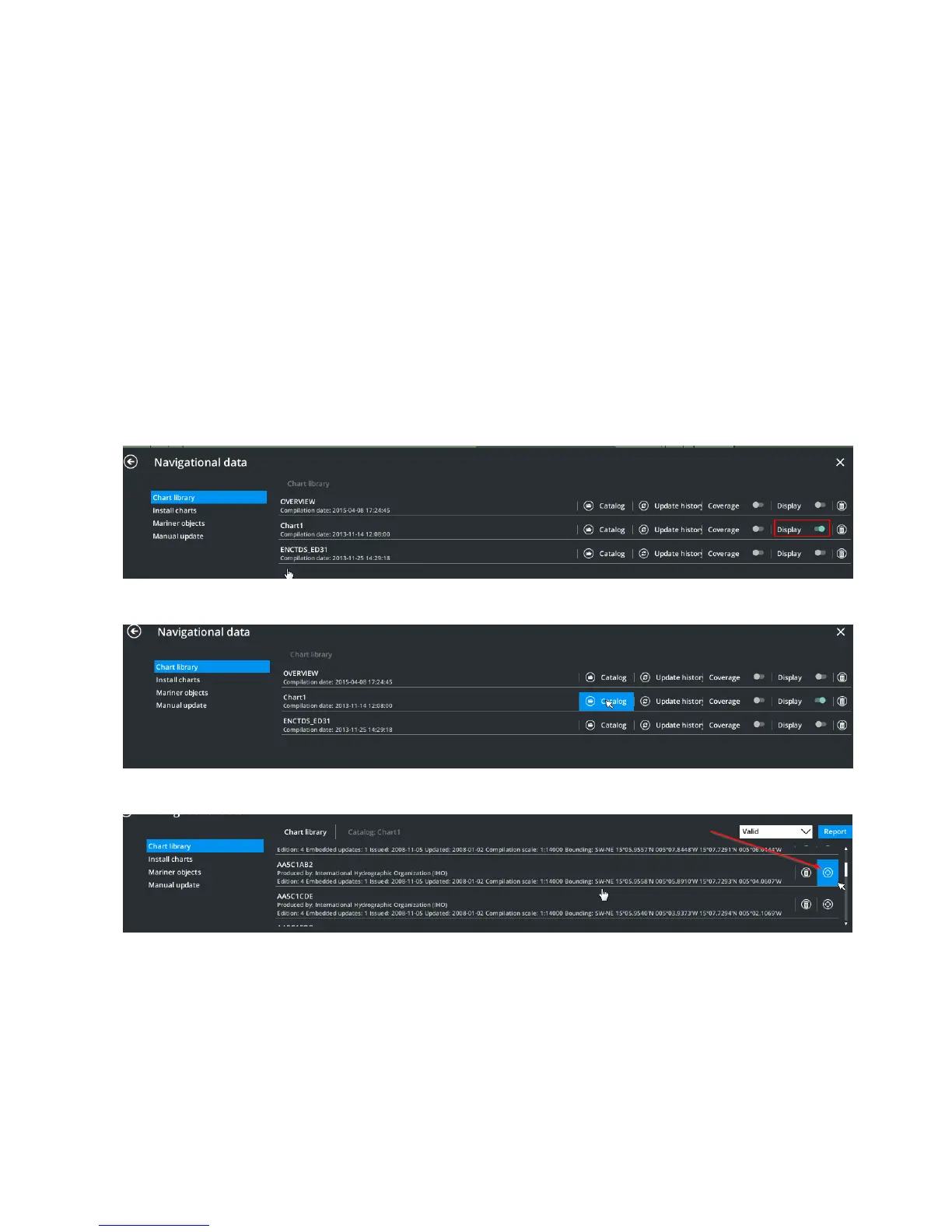
1. Make sure that the “Chart1” database is displayed (See DBS1425”User Manual for Danelec
Marine ECDIS Software”).
Open Main Menu NAV DATA Chart Library and enable “Display” of “Chart1”
2. Locate the Chart1 chart-database and click on the “Catalog”.
3. Locate cell “AA5C1AB2” and click on the “locate” button for the cell:
4. The cell containing the black-adjust symbol will be shown.
5. If you cannot see the black-adjust symbol, check the following:
a. the display type is set to “Standard” – the display type indicator should not be “Base”
b. the chart presentation type is set to S52 – the S52 option is selected in the Main Menu
Settings Chart Portrayal settings.



 To Next Page