7VI.UH.R1.80
Produced by Danfoss Floor Heating Hydronics 01.2006
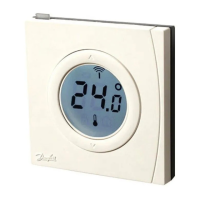
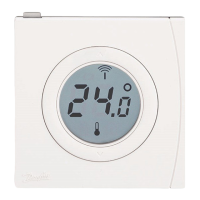
Instruction CF-RF Room Thermostat with InfraRed Floor Sensor
Changing default display temperature
- g. 1.
1. The actual room temperature is shown in the
display as default
2. To change default display from actual room
temperature to actual oor surface tempera-
ture, press and hold the push button
until SET MAX is shown in the display
3. Press the button shortly and repeatedly
until
or is ashing in the display
4. Press the up/down selector to select the
new default display temperature:
Room temperature
Floor surface temperature
Setting of room temperature
1. Make sure actual room temperature is shown
in the display
2. Press the up/down selector to set the
desired room temperature value. SET is shown
in the display
3. When releasing the up/down selector the
display returns to actual temperature
Note: The thermostat regulates the oor heating
system according to room temperature set point,
within the maximum and minimum limitations
dened for the oor surface temperature


 To Next Page