8
VI.UH.R1.80
Produced by Danfoss Floor Heating Hydronics 01.2006
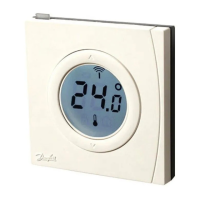
Instruction CF-RF Room Thermostat with InfraRed Floor Sensor
Room temperature limitation
1. Make sure actual room temperature is shown
in the display
2. Press the push button until SET MAX is
shown in the display
3. Press the up/down selector to set the
maximum room temperature limitation
4. Press the push button shortly, SET MIN is
shown in the display
5. Press the up/down selector to set the mini-
mum room temperature limitation
6. Press the push button shortly and the
actual oor surface temperature is shown in
the display
Floor surface temperature limitation
1. Ensure actual oor surface temperature is
shown in the display illustrated by
2. Press and hold the push button until SET
MAX is also shown in the display
3. Press the up/down selector to set the
maximum oor surface temperature limitation
4. Press the push button shortly, SET MIN is
also shown in the display
5. Press the up/down selector to set the mini-
mum oor surface temperature limitation


 To Next Page