AK-PC 351 User Guide RS8GZ302 © Danfoss 2015-06 17
Connections when using Setup Wizard
The assignment of functions on the respective inputs and outputs can be regulated
in “IO conguration”. Here is an example of 3 compressors and 2 fans:
Digital outputs (DO1-DO6):
If you have used the Setup Wizard
for the conguration, the control-
ler will automatically assign the
outputs in accordance with the
following prioritised order:
• PWM outputs for digital scroll or
Stream compressor will be lo-
cated on solid state outputs DO6
• Compressor start and unloaders
• Fans
• Alarm
Digital inputs (DI1-DI8) are estab-
lished on the following inputs:
DI1-4: Compressor safety input
DI5: Fan safety input
DI6: External Main switch (Start/
Stop)
DI7: LP safety switch or Night
status
DI8: HP safety switch or General
alarm input
Analog outputs (AO1-AO2) are es-
tablished on the following outputs:
AO1: Compressor speed control
AO2: Condenser speed control
Analog inputs (AI1-AI4) are estab-
lished on the following inputs:
AI1: Sc3 outside temperature
AI2: Sd discharge gas temperature
AI3: Po suction pressure or S4
media temperature
AI4: Pc condensation pressure or
S7 media temperature
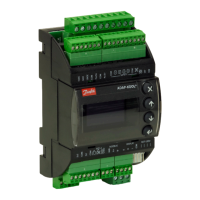
In this image you can see how
many outputs and inputs your
settings have provided.




 To Next Page
