User Guide BasicPlus
2
WT-DM Room Thermostats
2
Danfoss Floor Heating Hydronics 06/2016
1 Functional Overview
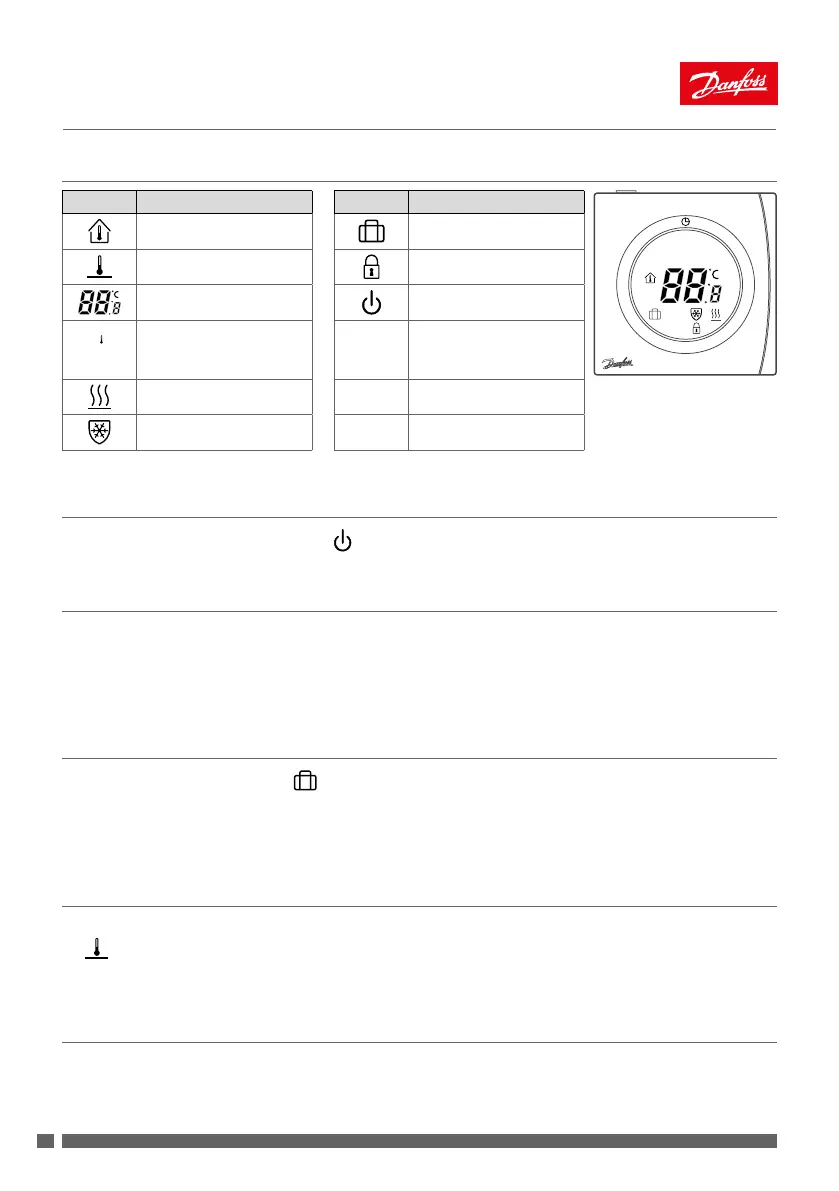
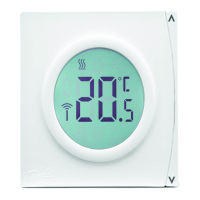
Symbols Function description Symbols Function description
SET
M
<
>
Room temperature Away mode
Floor temperature Child safety lock
Temperature indication Power ON/OFF
Set temperature
M
Mode change/check oor
temp./child safety lock/
parameters setting
Floor heating, Active
< >
Up/down selectors
Frost protection, Active
2 Power ON/OFF
Turn the thermostat ON or OFF by pressing .
3 Setting the Temperature
• Press < or > at any time to change the desired temperature value. SET is shown in the display.
• When releasing < or >, the display returns to showing the actual temperature.
• The adjustment step is 0.5° C.
4 Select Away Mode
• Press M to enter Away mode and will be displayed.
• Press < or >. SET appears; set the Away mode setpoint.
• Press M again to exit Away mode.
5 Check Floor Temperature
• Press M and hold. Press < within 6 seconds.
•
ashes and the current oor temperature is displayed. Operate again, then exit (automatic exit after 6
seconds with no operation).
6 Child Safety Lock
• Press M and hold. Press > within 6 seconds to lock all buttons.
• Press again to exit the child safety lock.


 To Next Page