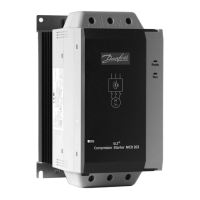
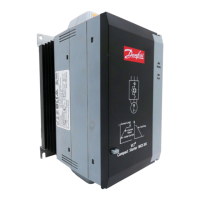
The VLT® Soft Starter MCD 600 PROFIBUS Card is an expansion module designed to integrate the VLT® Soft Starter MCD 600 into a PROFIBUS network, enabling remote control, monitoring, and parameter programming of the soft starter. This card facilitates seamless communication between the soft starter and a PROFIBUS master, enhancing system automation and control capabilities.
Function Description
The PROFIBUS Card acts as an interface, allowing the soft starter to function as a slave device within a PROFIBUS DP network. It supports three primary operating modes, each offering different levels of interaction and data exchange:
- Basic Mode: This mode provides fundamental control over the soft starter, allowing for starting and stopping operations, and enabling the reading of limited operational status information. It's suitable for applications requiring straightforward control without extensive data monitoring or parameter adjustments.
- Extended Mode: Building upon the basic mode, the extended mode allows for more comprehensive data monitoring. In this mode, users can read various operational data from the soft starter, such as actual motor current (expressed as a percentage of full load current), motor temperature, power (kW and kVA), voltage, current per phase, and software version. This mode is ideal for applications where detailed operational insights are crucial for performance analysis and diagnostics.
- Parameter Upload/Download Mode: This advanced mode enables the reading and writing of soft starter parameter values across the PROFIBUS network. This feature is particularly useful for remote configuration, tuning, and maintenance, allowing technicians to adjust soft starter settings without direct physical access to the device. It supports uploading (reading) and downloading (writing) of starter parameter values, providing flexibility in managing the soft starter's operational characteristics.
The card also supports PROFIBUS diagnostic telegrams and flags. When the soft starter trips, a diagnostic flag is set at the Master, and a trip code is reported, indicating the cause of the trip. Similarly, if a parameter is changed via the Local Control Panel (LCP), the affected parameter number is reported, allowing the Master to track configuration changes.
Usage Features
The PROFIBUS Card simplifies the integration of the VLT® Soft Starter MCD 600 into existing PROFIBUS automation systems.
- Remote Control and Monitoring: Users can remotely start, stop, and reset the soft starter, as well as monitor its operational status and various electrical parameters. This eliminates the need for manual intervention at the device location, improving efficiency and safety, especially in hazardous or hard-to-reach environments.
- Flexible Operating Modes: The availability of basic, extended, and parameter upload/download modes allows users to select the level of control and data exchange that best suits their application needs. This flexibility ensures that the communication overhead is optimized, and only necessary data is exchanged.
- Network Address Configuration: The network address for the PROFIBUS Card is configured via the soft starter's parameters, ensuring a straightforward setup process. It is important to cycle control power after changing these parameters for the new values to take effect.
- Enabling Network Control: For the soft starter to accept commands from the PROFIBUS Card, the command source parameter on the soft starter must be set to "Network." This ensures that control is exclusively managed through the PROFIBUS network, preventing conflicts with local control inputs.
- Communication Timeout Management: The system incorporates a communication timeout feature. If the PROFIBUS network fails, the soft starter will leave data exchange mode after a configurable watchdog timeout period. A Communication Timeout parameter in the GSD file determines how soon after this event the soft starter is forced into a trip state, providing a safety mechanism. Setting this parameter to 0 allows the soft starter to maintain its current state on network failure, offering local control but without failsafe protection.
- PROFIBUS Freeze Mode: In this mode, inputs from the soft starter are only updated with new data when another Freeze action is explicitly carried out. An unfreeze action returns the device to normal operation. This feature is useful for capturing a snapshot of the soft starter's state at a specific moment.
- PROFIBUS Sync Mode: Commands sent to the soft starter are not processed until a Sync action is performed. An Unsync action returns the device to normal operation. This allows for synchronized control of multiple devices on the network.
- PROFIBUS Clear Mode: If the Master sends a global clear command, the soft starter receives a quick stop command, providing an immediate shutdown capability across the network.
Maintenance Features
The PROFIBUS Card contributes to easier maintenance and troubleshooting of the soft starter and the overall system.
- Diagnostic Feedback: The card provides valuable diagnostic information through its feedback LEDs (Power and Network) and diagnostic telegrams. The Power LED indicates if the device is powered up and ready, while the Network LED shows the connection status and data exchange state. This visual feedback allows for quick identification of power or communication issues.
- Trip Code Reporting: In the event of a soft starter trip, the diagnostic telegram reports a specific trip code. This code helps in quickly identifying the cause of the fault, such as motor overload, current imbalance, heatsink overtemperature, or internal faults, facilitating faster troubleshooting and resolution.
- Parameter Change Notification: The reporting of changed parameter numbers via the diagnostic telegram helps track configuration modifications, which is crucial for maintaining system integrity and for troubleshooting unexpected behavior.
- Remote Parameter Adjustment: The parameter upload/download mode allows for remote adjustment of soft starter settings. This reduces the need for on-site visits for minor adjustments or recalibrations, saving time and resources. However, it is important to exercise caution when changing advanced parameters, as incorrect values can lead to unpredictable behavior.
- GSD File Support: The use of a GSD (General Station Description) file for configuration with the Master tool ensures standardized and reliable integration. The availability of graphic bitmap files (SSPM_N.bmp for normal mode and SSPM_D.bmp for diagnostic mode) can enhance the user experience in Master configuration tools that support on-screen icons.
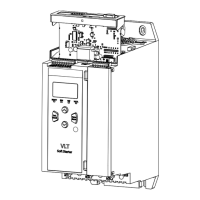
- Easy Installation: The expansion card is designed for straightforward installation, involving easing off the expansion port cover, aligning the card with the port, and gently pushing it until it clicks into place. This user-friendly design minimizes installation time and complexity.
- Clear Wiring Instructions: Detailed pin assignments for the DB9 connector are provided, ensuring correct field wiring and reliable network connection.
- Safety Warnings: The manual includes important safety warnings regarding installation and handling, such as isolating the soft starter from mains voltage before attaching or removing accessories, and avoiding the insertion of foreign objects or touching the inside of the soft starter with the port cover open. Adhering to these warnings ensures personnel safety and prevents equipment damage.

 Need help?
 General



 To Next Page