SOURCE | 7
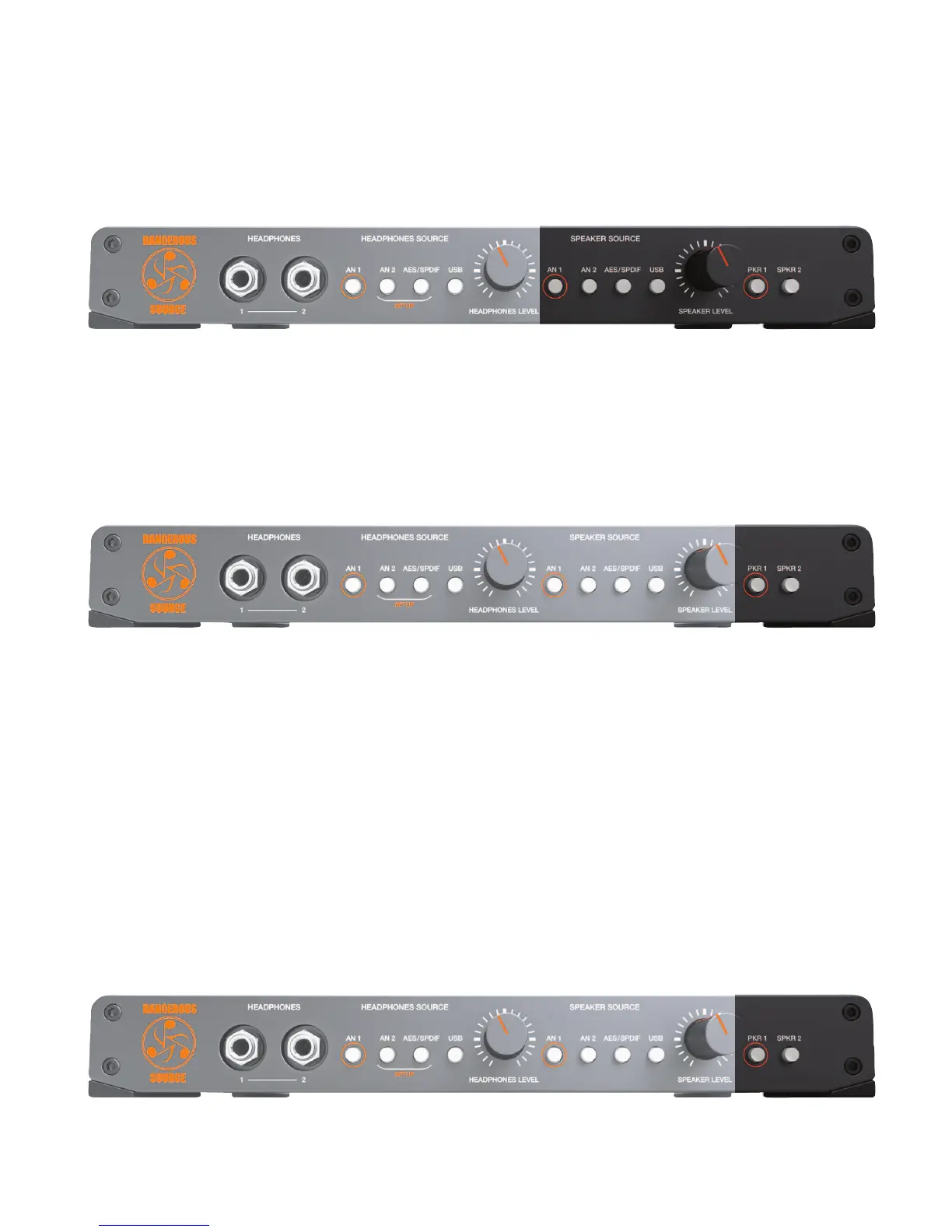
5. SPEAKER SOURCE SETUP (TOGGLE TO LATCH MODE)
[speaker source buttons pictured above]
Feature: Set the desired behavior for the speaker source buttons: either toggle or latch mode.
Benefit: Simultaneously press and hold the bracketed setup buttons (an 2 and aes/spdif) on the headphone source side. The setup
lights will blink. Then press the button with the orange circle (an 1) on the speaker source side to switch between toggle
mode (button unlit) and latch mode (button lit). Press either of the blinking setup buttons (an 2 or aes/spdif) to store and
exit setup mode.
6. SPEAKER SELECTION (TOGGLE OR LATCH MODE)
[speaker selection buttons pictured above]
TOGGLE
Feature: Instantly and silently switch between your speakers using the speaker selection buttons (spkr 1 and spkr 2) auditioning
only one set of monitors at a time.
Benefit: A/B tracking and mix decisions between two different sets of speakers.
Note: This is the default setup.
LATCH
Feature: Silently select or deselect any combination of 1 and/or 2 speakers (i.e. spkr 1 and spkr 2).
Benefit: Audition through either set of speakers or both simultaneously (ie. for the control room and live room).
Tip: , Use one output for speakers and the other output for a sub (not the sandwich): turn the sub on or off whenever you
need it. (Also, always hear the speakers in full range- some subs have a non bypassable crossover.)
7. SPEAKER SELECTION (TOGGLE TO LATCH MODE)
[speaker selection buttons pictured above]
Feature: Set the desired behavior for the speaker selection buttons.


 To Next Page