DB-70 Automatic Wheel Balancer 29 P/N 5900261 — Rev. A1 — January 2021
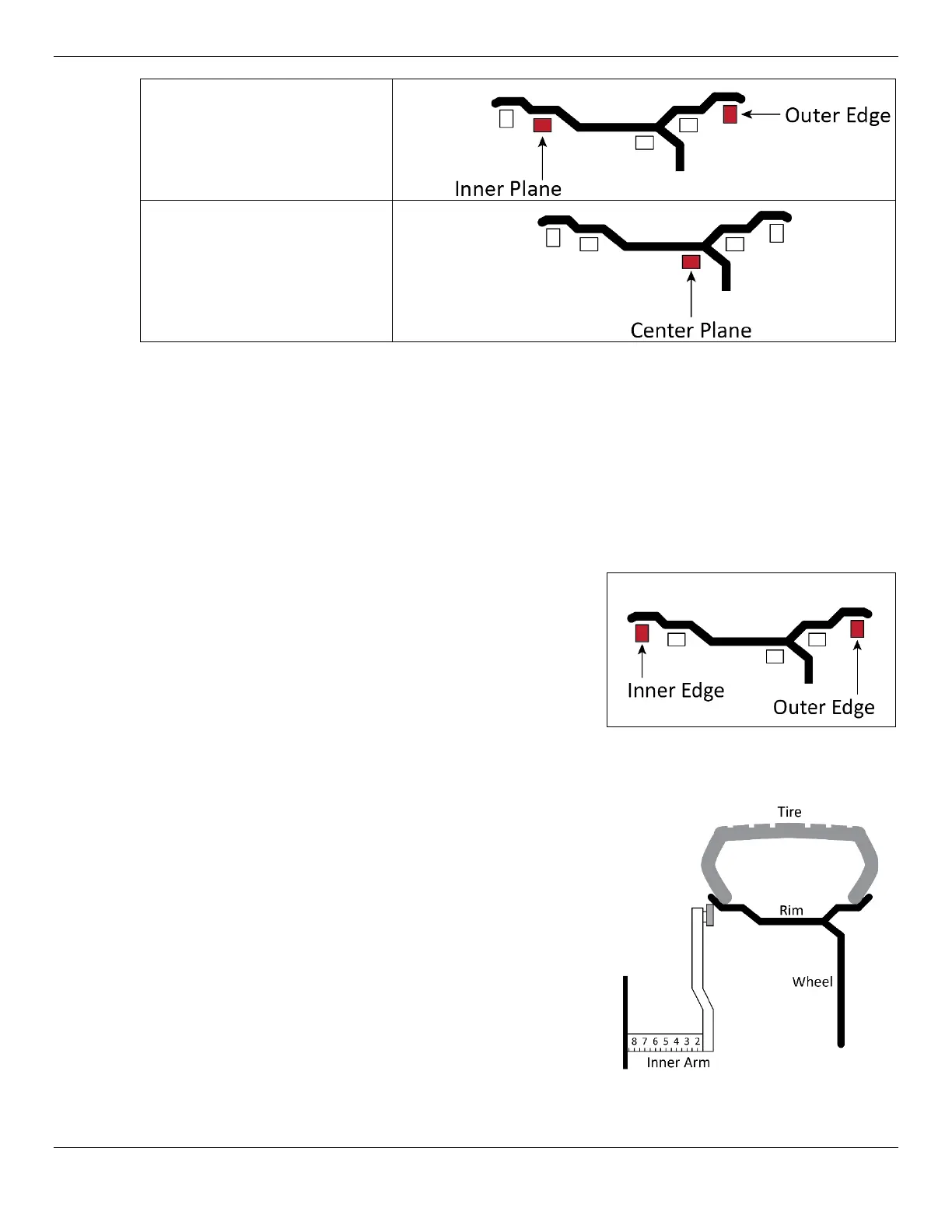
– The ALU 5 balance
mode utilizes adhesive balance
correction weights on the inner
plane and clamps weights to
the outer edge.
– The static balance mode
utilizes adhesive balance
correction weights on the
center plane only.
Operation in Dynamic Balance Mode
1. Make sure you are dressed appropriately: leather gloves, steel-toed work boots, back belts,
hearing protection, and ANSI-approved eye protection: safety glasses, face shield, or goggles.
2. Visually inspect the Balancer to verify everything is in place.
3. The Tire cover should be up and a Tire mounted on the Balancer Shaft. Refer to Mounting a
Wheel for mounting instructions, if required.
4. Turn on the Balancer. The power switch is located on the
left-hand side near the front of the cabinet. The display
should be flashing, and –a- will appear in the Inner
Display Window.
5. Select the balance mode based on the wheel. Press R
until the DYNAMIC weight position is displayed as
shown here.
6. Input the wheel parameters. Slide the inner distance arm to touch the inner edge of the Wheel rim
and hold in place. The Balancer will beep and enter the side distance and wheel diameter
automatically into the Balancer’s memory. The value should appear in the Outer Display Window.
Alternatively, you may read this value off the inner
measuring arm and enter it manually using the A and D
key.
7. Slide the inner measurement arm back to its rest position
inside the Balancer.
Note: If the values appear incorrect you can turn off the
power to reset the machine and start the process
over.
8. Determine the width of the wheel using the wheel caliper
and input this value using the front panel button labelled
.
The value should appear in the Outer Window.
9. When all three measurements are correct, you are done
entering measurements.


 To Next Page