2
EN
099241 • Version 1.2 • 08.02.2019
1.
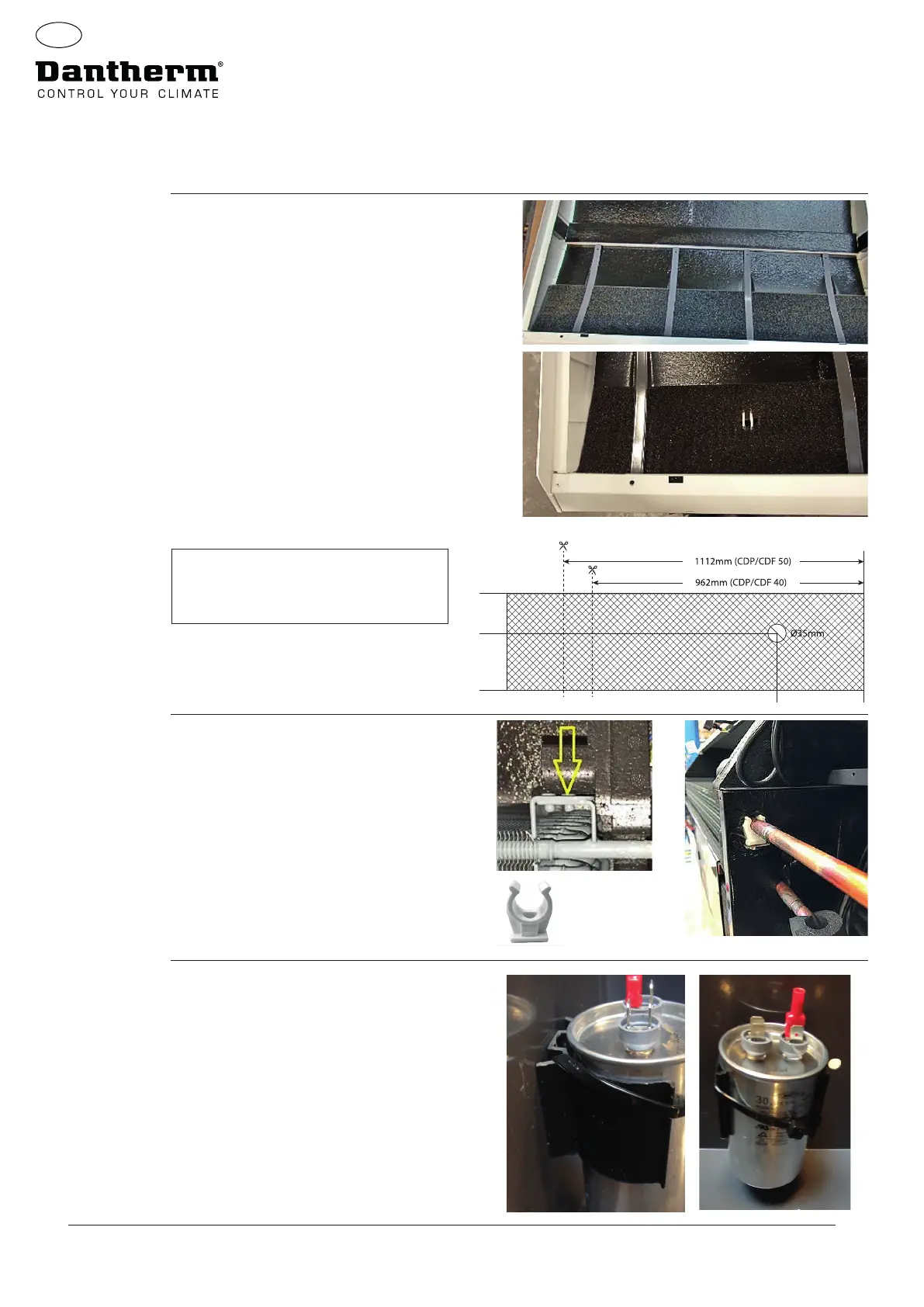
Unpack the unit and remove the front.
Remove the PPI lter and replace with new as
per partslist.
The new PPI lter must be right up against both
ends of the cabinet.
Make sure that the hole is furthest away from the
front as shown.
2.
Make sure there is a bracket on the condenser
coil.
If not, mount the small aluminium bracket and
the
white plastic copper tube holder.
The bracket must be xed onto the side panel
with the self-tapping screws.
3.
Fix the capacitor with a cable tie strip as shown.
Instructions
1237mm
0mm
130mm
200mm
1447mm
Note: For CDP/CDF 40 and 50 the lters
must be cut according to this illustra-
tion.


 To Next Page
 Loading...