EasyManua.ls Logo

Dantherm CDT 30S MK III - User Manual

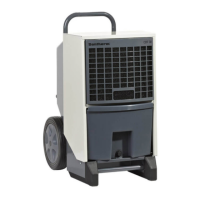
Dantherm CDT 30S MK III
36 pages
Print Icon
To Next Page IconTo Next Page
Loading...
CDT 30S-40S MKIII
Service manual
Rev. 1.0

Questions and Answers

  • T
    Timothy LewisAug 3, 2025
    What to do if the Dantherm Dehumidifier display shows 'Full' and the yellow light is on?
    • C
      Crystal JohnsonAug 3, 2025
      If the display shows 'Full' and the yellow light is on, it means that the container is full or the pump (if it's an accessory) is blocked. You should empty the water container or clear any blockage in the pump.
  • S
    Steven HarrisAug 8, 2025
    How to fix a Dantherm Dehumidifier that will not start and the display is not switched on?
    • D
      Donna StevensonAug 8, 2025
      If your dehumidifier won't start and the display isn't on, the plug might not be properly inserted into the mains socket. Check that the dehumidifier is connected to the mains. You can also test the mains socket by plugging in another electrical appliance.
  • J
    Jillian HorneAug 12, 2025
    What does it mean if 'SERVICE' is flashing on the display of my Dantherm CDT 30S MK III Dehumidifier?
    • S
      Steven WoodAug 12, 2025
      If the dehumidifier is running, the green light is on, and 'SERVICE' is flashing on the display, the service interval that was set has expired. You should service the product as specified in the section on service counter expiry.
  • P
    phyllisbradfordAug 17, 2025
    Why does my Dantherm Dehumidifier show 'HYG STOP' and won't start?
    • L
      Lisa PalmerAug 18, 2025
      If your dehumidifier displays 'HYG STOP' and doesn't start, it means the hygrostat has measured air humidity lower than the set point, and the unit has switched off to save power. To resolve this, reduce the hygrostat set point, or switch to manual operation.
  • D
    Dr. Autumn LindseyAug 22, 2025
    What to do if Dantherm CDT 30S MK III Dehumidifier display shows 'SENSOR FAIL' when RH% activates?
    • D
      Douglas GarzaAug 22, 2025
      If the display shows 'SENSOR FAIL' when RH% activates, it means the RH% sensor is defective and needs to be replaced.
  • M
    Mary HerreraAug 27, 2025
    Why are kWh and hours without power not displayed on my Dantherm CDT 30S MK III Dehumidifier?
    • J
      Jennifer OwensAug 27, 2025
      If the kWh and hours without power are not displayed, the memory battery is likely flat and needs to be replaced.

Summary

General Warnings

Refrigerant Safety and Location Requirements

Precautions for flammable refrigerant, installation, and storage conditions.

Operation and Handling Precautions

Guidelines for safe operation, handling, and fire safety measures.

Setup and User Guide

Product and Function Descriptions

Overview of the CDT 30S/40S MKIII product, its functionality, and components.

Ducting Connections

Details on connecting ducting for exhaust, dry, hot air.

Heating Element

Information on the 1 kW integrated heating element and its operation.

Water Container Operation

Operation of the water container, including auto-shutoff.

Control Panel Overview

Explanation and illustration of the unit's control panel.

Main Functions Description

Lists the primary operational functions of the dehumidifier.

Cooling Circuit Diagram

Visual representation of the cooling circuit and its components.

Preparation and Transportation Guide

Introduction to Preparation and Transport

Overview of the guide for unpacking, preparation, transport, and storage.

Handling Warnings and Unpacking

Key warnings and step-by-step instructions for unpacking the dehumidifier.

Positioning and Location Requirements

Guidelines for optimal positioning, location, and electrical connection of the unit.

Moving the Dehumidifier

Instructions for moving the dehumidifier by hand, crane, or stairs.

Storage Guidelines

Recommendations for storing the dehumidifier, including stacking limits.

User Guide

Switching On;Off and Operating Status

How to turn the unit on/off and understand operating status indicators.

Heating Element Operation

Instructions for activating and deactivating the 1 kW heating element.

Hygrostat Operation Modes

How to set and operate the internal and external hygrostat functions.

Hour Counter and Service Timer

Details on the built-in hour counter and service interval functions.

Display Text Interpretations

Explanation of various display texts and their meanings.

Memory Battery Replacement

Procedure for replacing the memory battery.

Error Message Guide

Overview of error messages, their causes, and remedies.

Emptying the Water Container

Step-by-step procedure for emptying the water container.

Accessories

Accessory Information

Information on obtaining details of accessories from Dantherm.

Available Accessories List

A list of available accessories with illustrations and item numbers.

Service Guide

Preventive Maintenance Overview

Importance of preventive maintenance and general safety precautions.

User Inspection Checklist

Details on the user inspection checklist for preventive maintenance.

Annual Service and Spare Parts

Procedure for annual service, service counter, and ordering spare parts.

User Checklist - Page 1

User checklist for preventive maintenance, covering manual, marking, and electrical equipment.

User Checklist - Page 2

User checklist for preventive maintenance, covering display, casing, and cleaning.

User Checklist - Page 3

User checklist for preventive maintenance, covering grilles, water collection, and pump.

User Checklist - Page 4

User checklist for preventive maintenance, covering cooling circuit, ventilation, and filters.

Monthly Cleaning Procedure

Step-by-step procedure for monthly cleaning of the dehumidifier.

Troubleshooting

Troubleshooting Problem Guide

Table to help localize and correct problems or errors with the unit.

Troubleshooting Notes and Help

Important notes and additional help for troubleshooting issues.

Disposal

Environmental Disposal Warning

Observe national laws and procedures for environmental protection when disposing.

Refrigerant Evacuation Procedure

Procedure for safely evacuating flammable refrigerant before disposal.

Battery and Electronics Disposal

Information on proper disposal of batteries and electronic components.

Appendix

Technical Data

General technical specifications and data for CDT 30S and CDT 40S models.

Dimensions

Dimensions (L, B, H, TH) for CDT 30S MK III and CDT 40S MK III models.

Wiring Diagram

Diagram illustrating the electrical connections and components of the unit.

Declaration of Conformity

EU Compliance Declaration

Declares compliance with EU directives and harmonized standards.

Dantherm CDT 30S MK III Specifications

General IconGeneral
ModelCDT 30 S MK III
Airflow300 m³/h
Supply voltage230 V
Frequency50 Hz
Dehumidification Capacity30 liters/day

Related product manuals