12
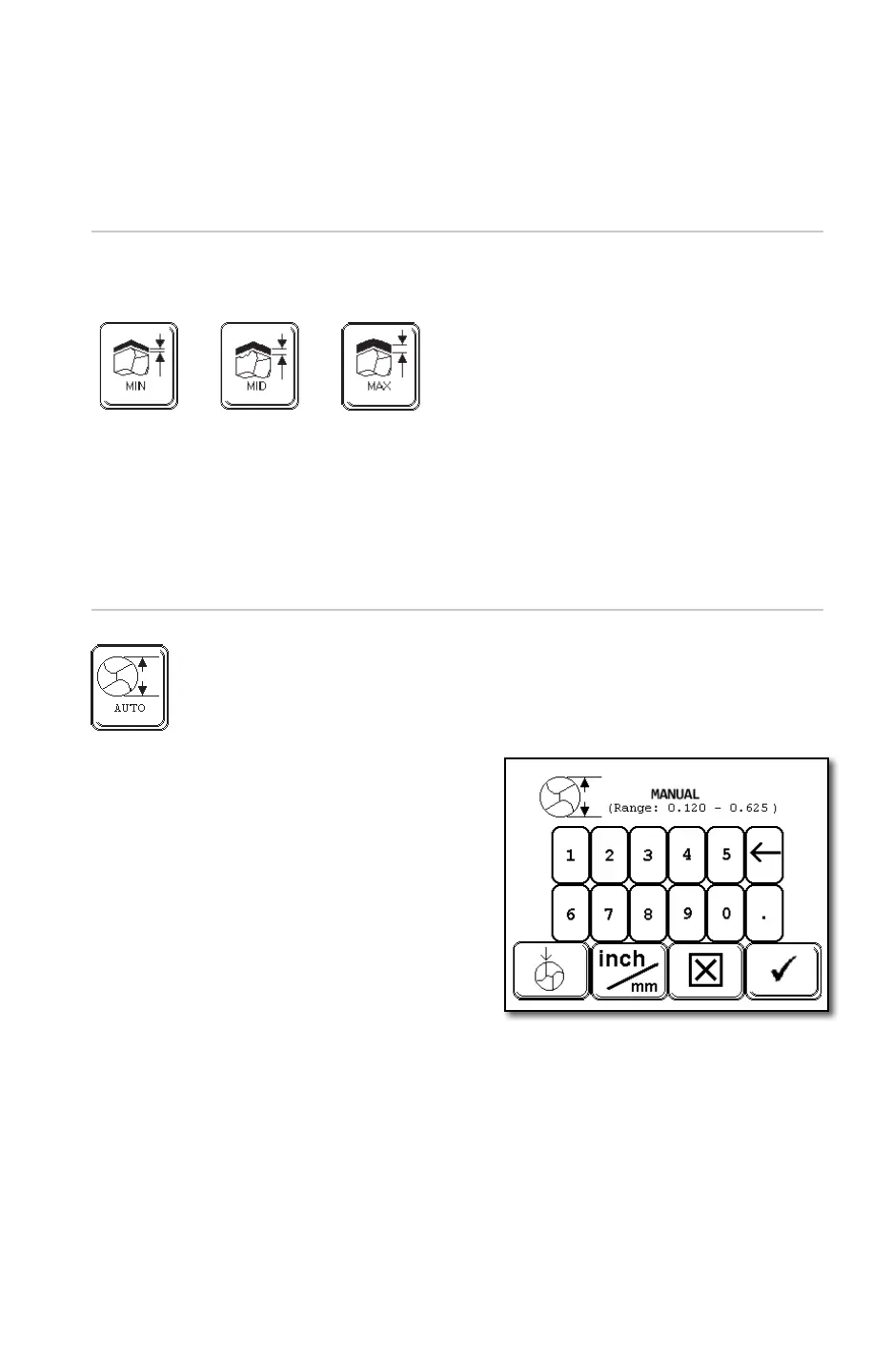
Diameter Icon
The [AUTO] mode is the factory default setting. In this mode, ‘auto’ will appear
under the Diameter Detect graphic. In the event the drill diameter is different than
the work holding diameter, it will be necessary to enter the actual drill diameter.
To do so:
1. Press the Drill Diameter icon.
2. A keypad will appear.
3. Type in the drill diameter including
the decimal point.
4. Press the [CHECK] icon to enter the
value and return to the main menu
5. Notice the [AUTO] has now been
replaced with the value just entered
Note: If the XPS-16+ is in the [AUTO] mode and the drill diameter is measured
at less than .115”, the XPS-16+ will automatically return to the home position
and prompt the operator for additional information (Single Point Alignment or
Manual Align). The programming of these features will be covered in the Web
Detection section of the User Guide.
Tip: The machine can be operated in either inches or millimeters. To change
between them, press the INCH/MM icon. The value displayed on top in the bolder
font is the current selection for all the applicable icons.
Material Removal Icon
Each touch will change between three options:
• Factory default is “MIN”.
• Facet drill point is limited to “MIN” & “MID”.
Tip: Use “MIN” when cleaning up a dull drill bit.
Tip: Use “MID” or “MAX” when changing point angle or repairing damaged drill bit.
Range
.000 - .010”
Range
.005 - .015”
Range
.015 - .020”
(conic only)
Note: If the point angle entered is beyond the machines limits, the XPS-16+ will default to the
nearest value the machine is capable of grinding.
If the desired grind angle is less than 115°, the XPS-16+ will automatically prompt the op-
erator for additional information. The programming of the [Web Thickness] and [Advance]
features will be covered in the [Web Detection] section of the User Guide.


 To Next Page