23
Creating a Conic-Style Drill, Step-by-Step
It’s best to have a pattern drill, that is, one which can be used for a model without grinding on
it. Mark it with tape so it doesn’t get mistaken for another sample drill.
1. Decide whether or not the drill is grindable. Look for chips on the
margin lines, fractures sending spall lines down the face of the drill,
damage to the shank of the drill, etc.
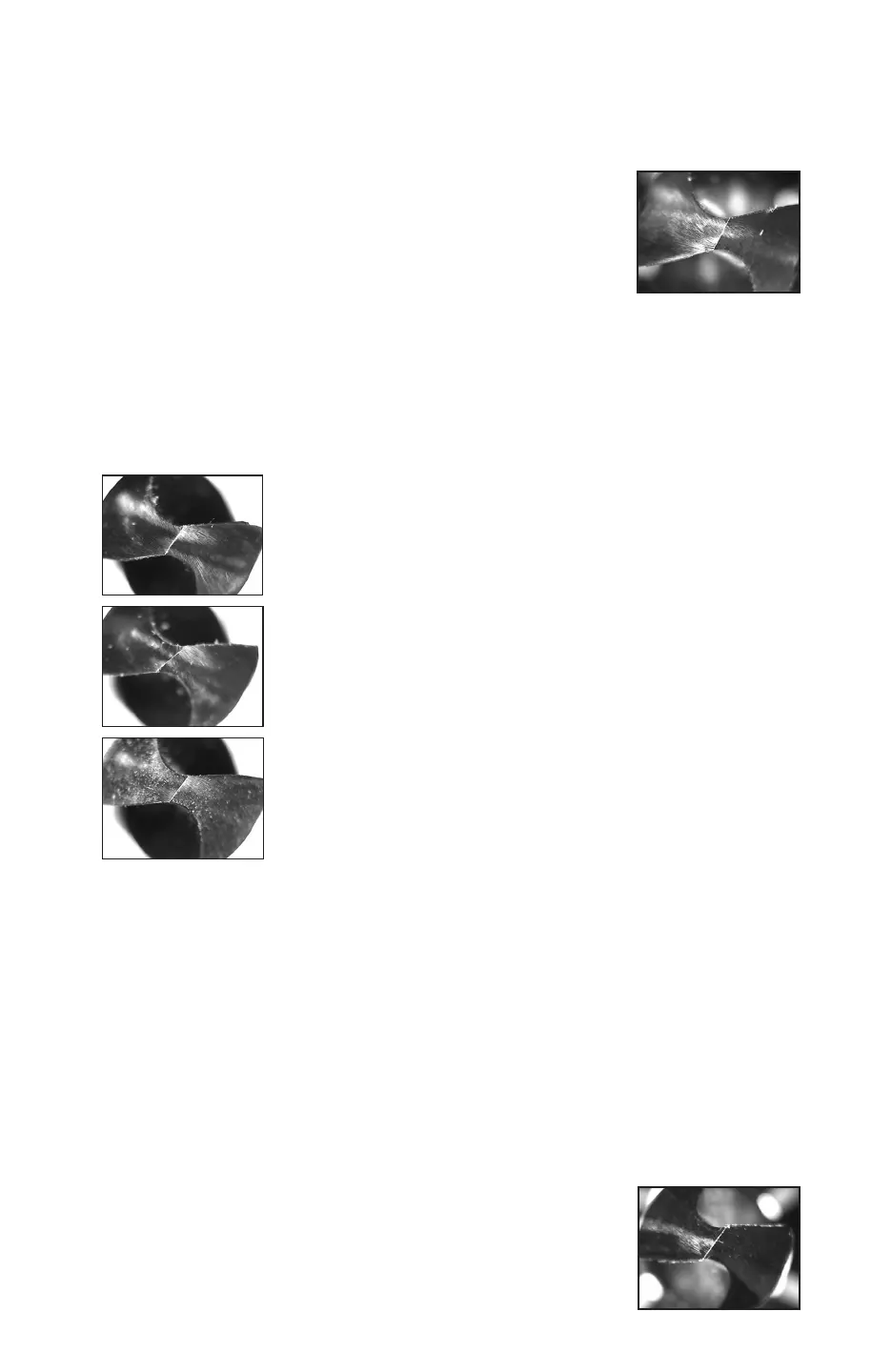
2. If you start with the Darex le and select “Conic”, turn off the split
function, and press the [START] button, the result will be a drill
bit that looks somewhat like the one to the right. If it is not right,
regrind after selecting single point alignment and advancing the
cutting edge.
Figure C-1
3. Once the advance is correct, turn on the X-split function, even if eventually going to use
Radial splitting (the X split produces nice sharp boundaries that can be easily used to ad-
just the split relationships).
4. Look at the split angles on the pattern drill. The angle between the cutting edge and the
rst split line is the fan angle and is usually between 45° and 65°. If the pattern drill has
coolant holes, they can be a good reference point, since the fan angle can be increased or
decreased to reveal or conceal more or less of the trailing edge of the coolant hole to match
the pattern drill. If the pattern drill is not coolant fed, attempt to copy the fan angle with
the methods available to you. By making the fan angle a little bigger than expecting how
it will end up, (65° instead of 55°), the process will go faster, because the sample will not
have to be totally reground if the angles are wrong. The angle between the cutting lips and
the secondary cutting edges is called the Split Angle, and it’s usually between 130° and
160°, although some carbide and cobalt drills have a larger angle (up to 170°).
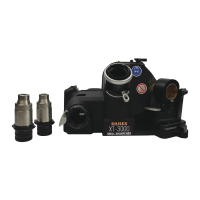
5. Upon deciding what starting angles to use, enter them into the split
screen. Back off the X and Z adjustments (in the “–” direction) in
the Split adjustment screen about .005”, Grind the sample drill with
the initial split settings. It will look similar to Figure C-2.
Figure C-2
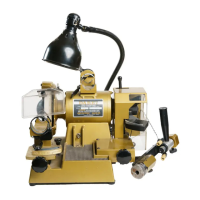
This photo shows a conic drill ground using the Darex le without a
split. The chisel angle on the drill is approximately 125°.
This photo shows a drill ground using the Darex le and Single Point
Alignment, with 1° entered into advance. The chisel angle on this
drill is approximately 145°
Making the advance 13° produces the result shown in this photo,
which is identical to the rst drill sample at 125°
Using cutting edge advance to correct chisel angle
when using Single Point Alignment
When using Single Point Alignment to enable grinding of conic drills which wouldn’t have been
detectable, the Chisel Angle will be incorrect. Chisel Angle should usually be 110° to 130°.


 To Next Page