29 Vantec series User's Manual
OPTIONS:
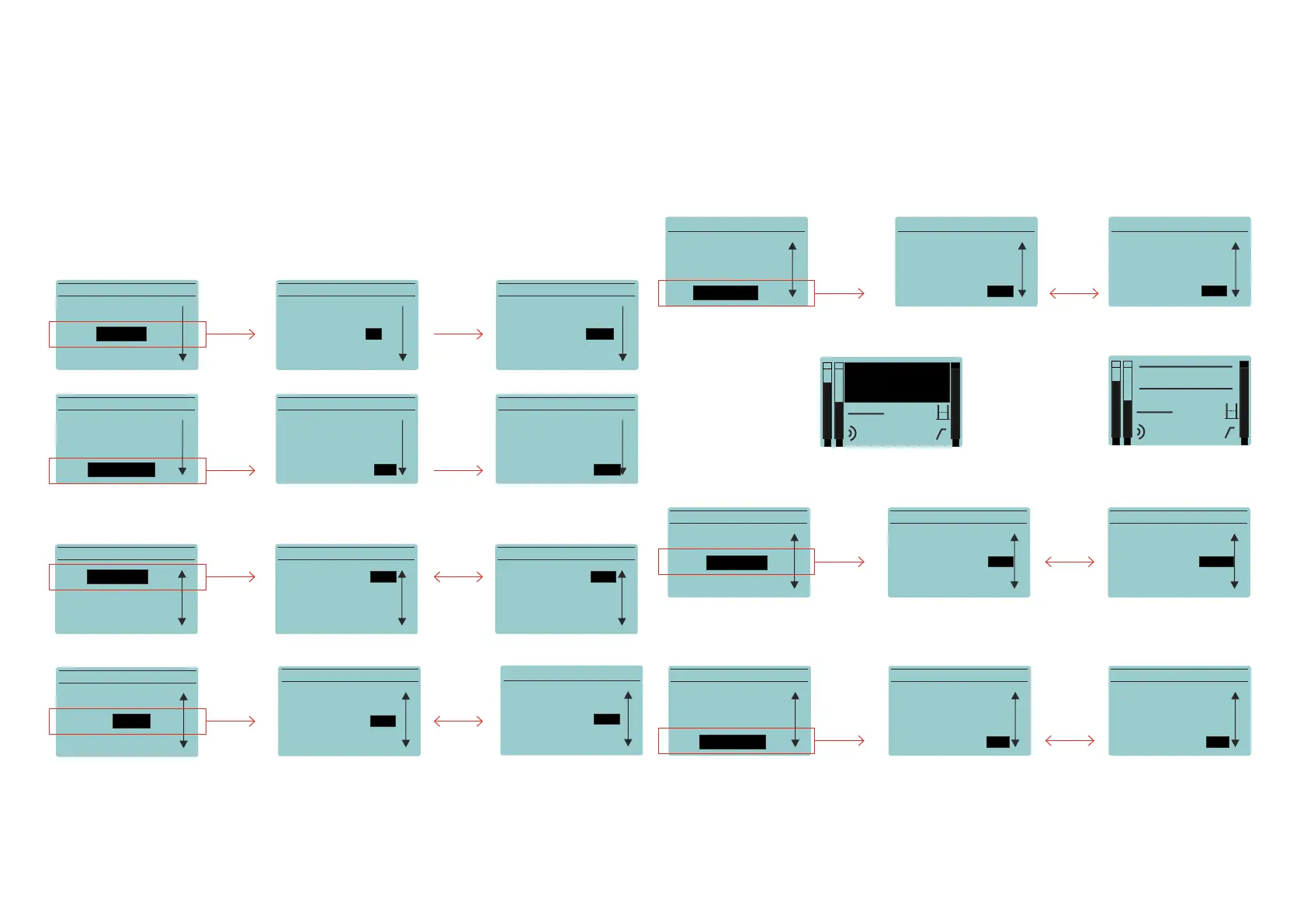
In this sub-menu the user can configure all the non-audio related options. Remember that
in order to access each parameter it is necessary to push the encoder:
Vantec Series | Amplifier
OPTIONS MENUO PTIONS MENUO PTIONS MENU
BACK BACK BACK
CONTRAST: 0 CONTRAST: 0 CONTRAST: 0
BRIGHT: 0 BRIGHT: +10BRIGHT: 0
OPTIONS MENUO PTIONS MENUO PTIONS MENU
BACK BACK BACK
BRIGHT: 0 BRIGHT: 0 BRIGHT: 0
CONTRAST: -10 CONTRAST: +10CONTRAST: 0
By increasing the contrast the
screen can be easily seen from
lower positions.
DIMMING: When active the screen lowers its luminosity after a few seconds. Default is "on"
LOGO (from firmware v2.0): Default is “on”
ENC.LOCK (from firmware v2.1): Default is “off”
STAND_BY:When no signal is detected the amplifer shuts down. Default is 1 min.
Enabling this option SAVES ENERGY! Cabinets in stand-by mode don´t consume energy.
The possible values are: off, 30s, 1min, 2min, 5min, 10min.
If ENC.LOCK is “on” when
the encoder is rotated
it shows:
Then, if the encoder is
pushed it shows:
Now, the unit is
unlocked
If the encoder does not move for 10 seconds, the unit will re-
turn to be blocked, until we select ENC.LOCK to "off”
OPTIONS MENU OPTIONS MENUO PTIONS MENU
LOGO: on
LOGO: on
LOGO: on
ENC. LOCK: off
ENC. LOCK: off
ENC. LOCK: off
DIMMING: <on DIMMING: off>DIMMING: on
OPTIONS MENU
OPTIONS MENU
OPTIONS MENU
DIMMING: on
DIMMING: on
DIMMING: on
ENC. LOCK: off
ENC. LOCK: off
ENC. LOCK: off
LOGO: on
LOGO: on
LOGO: off
OPTIONS MENU
DIMMING: on
LOGO: on
ENC. LOCK: off
OPTIONS MENU
DIMMING: on
LOGO: on
ENC. LOCK: on
OPTIONS MENU
DIMMING: on
LOGO: on
ENC. LOCK: off
1
L
2
live off
0,0m
O
LOCKED
PUSH TO UNLOCK
1
L
2
live off
0,0m
O
UNLOCKED
OPTIONS MENUO PTIONS MENUO PTIONS MENU
ENC. LOCK: off ENC. LOCK: off
ENC. LOCK: off
DLY UNITS: m DLY UNITS: m
DLY UNITS: m
STAND-BY: off> STAND-BY:
<5min>
STAND-BY: off
OPTIONS MENUO PTIONS MENUO PTIONS MENU
ENC. LOCK: off
ENC. LOCK: off
ENC. LOCK: off
STAND-BY: off
STAND-BY: off
STAND-BY: off
DLY UNITS: m> DLY UNITS: <ftDLY UNITS: m


 To Next Page