EasyManua.ls Logo

Datalogic QuickScan QM2500 - User Manual

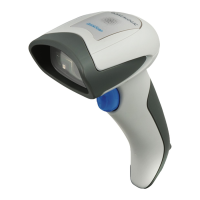
Datalogic QuickScan QM2500
57 pages
Print Icon
To Next Page IconTo Next Page
Loading...
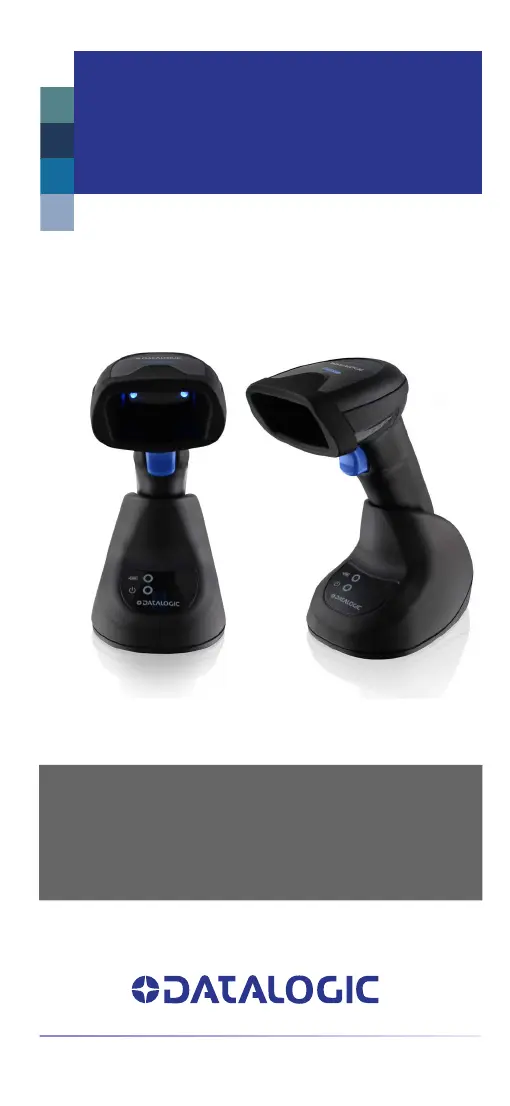
QuickScan
QBT/QM2500
QUICK REFERENCE GUIDE
General Purpose Cordless
Handheld Area Imager Bar Code Reader
with Bluetooth® Wireless Technology or
Datalogic STAR Cordlesss System™

Table of Contents

Questions and Answers

  • A
    Amy McclureAug 9, 2025
    What to do if my Datalogic Barcode Reader LED comes on, but the bar code is not decoded?
    • M
      Matthew LozanoAug 10, 2025
      If the LED is on but the barcode isn't decoded, there could be a few reasons. First, ensure the reader is programmed to read the type of barcode you're scanning. Second, check that the barcode label isn't damaged. Try scanning a different barcode. Lastly, adjust the distance between the reader and the barcode; move the imager closer to or further from the barcode.
  • T
    Tyler WadeAug 20, 2025
    What to do if Datalogic Barcode Reader decodes but doesn't transmit to the host?
    • D
      Daniel CraigAug 20, 2025
      If the barcode reader decodes the barcode but doesn't transmit it to the host, the imager might not be programmed for the correct host type. Scan the appropriate host type barcode to resolve this issue.
  • D
    Deanna BennettAug 29, 2025
    Why nothing happens when I pull the scan button on my Datalogic Barcode Reader?
    • T
      tammy78Aug 30, 2025
      If nothing happens when you pull the scan button, it could be due to a lack of power or loose connections. Check the system power and ensure the power supply is properly connected. Also, make sure all cable connections are secure.

Summary

Setting Up the Reader

Scanner Operation

The BC2090 Radio Base

Scanner Operation Details

Linking the Reader

Interface Selection

Interface Selection

Details how to choose the correct host interface for the scanner.

Configuring the Interface

RS-232 Interface Options

Lists programming bar codes to select RS-232 standard and Wincor-Nixdorf interfaces.

Configuring the Interface (Continued)

Keyboard Interface Configuration

Explains how to configure keyboard-specific interface options.

PROGRAMMING

Using Programming Bar Codes

Explains how to use bar codes to reconfigure reader settings.

Resetting Product Defaults

Instructions to restore the reader to its initial factory configuration.

Reading Parameters

Operating Modes

Scan Mode Options

Details different scanning modes like Trigger Single and Always On.

Troubleshooting

Technical Support

Cleaning Procedure

Cleaning plastic surfaces

Instructions for cleaning the exterior surfaces and scan windows of the scanner.

Cleaning Procedure (Continued)

Cleaning enclosure and window surfaces

Details the steps for cleaning the scanner enclosure and output window.

Replacing the Battery Pack

Replacing the Battery Pack (Continued)

Battery Safety Precautions

Crucial warnings and guidelines for safe battery handling, charging, and disposal.

Datalogic QuickScan QM2500 Specifications

General IconGeneral
Scanning TechnologyLaser
InterfaceUSB, RS-232, Keyboard Wedge
ConnectivityWired
Humidity5% to 95% (non-condensing)
TypeHandheld
Light SourceLaser Diode
Operating Temperature0°C to 50°C
Scan PatternSingle Line
Decode Capability1D
Resolution0.1 mm (4 mil)
Storage Temperature-20°C to 60°C
Drop Specification1.5 m drop to concrete
Scan Rate100 scans per second
Supported Barcodes1D Barcodes

Related product manuals