STEP 1
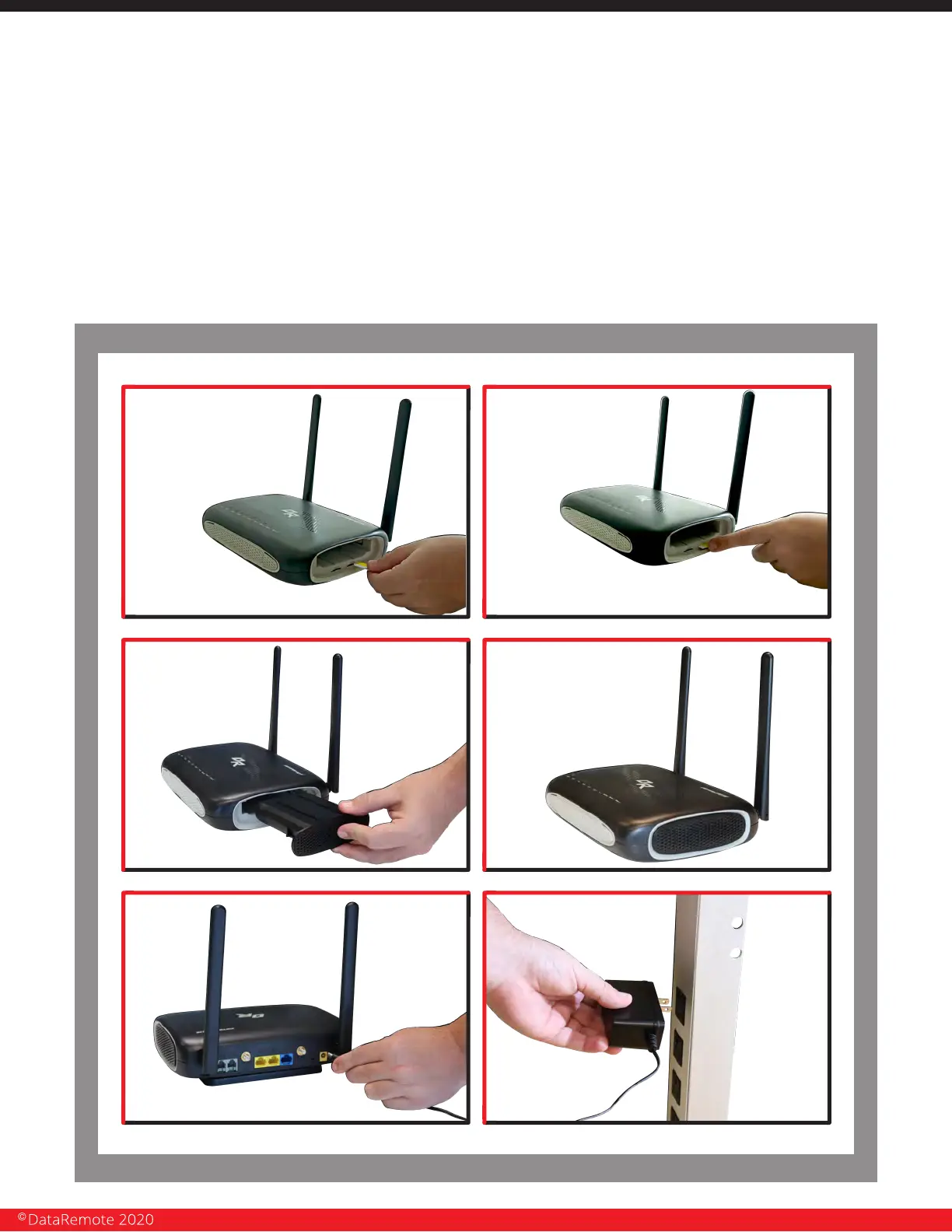
If your new device did not come with a SIM card pre-installed, please follow the
SIM install directions: Inside the right battery port, the SIM card slots are located
on the left bottom corner of your device. Insert the SIM card inside the slot marked “SIM
1”. Make sure is inserted all the way into the slot. You will feel a spring lock the SIM card
into place.
Insert the batteries in to the battery ports on the sides of your CDS-9010 device, making
sure they will click in place correctly. Then connect one end of the power cord to the
power port of your device. Finally, connect the other end to an electric outlet.
Page 8
Revision No. 004 April 2020


 To Next Page