Step 1 – Unpack the package
Take the VAB-1 device and related accessories out of the box.
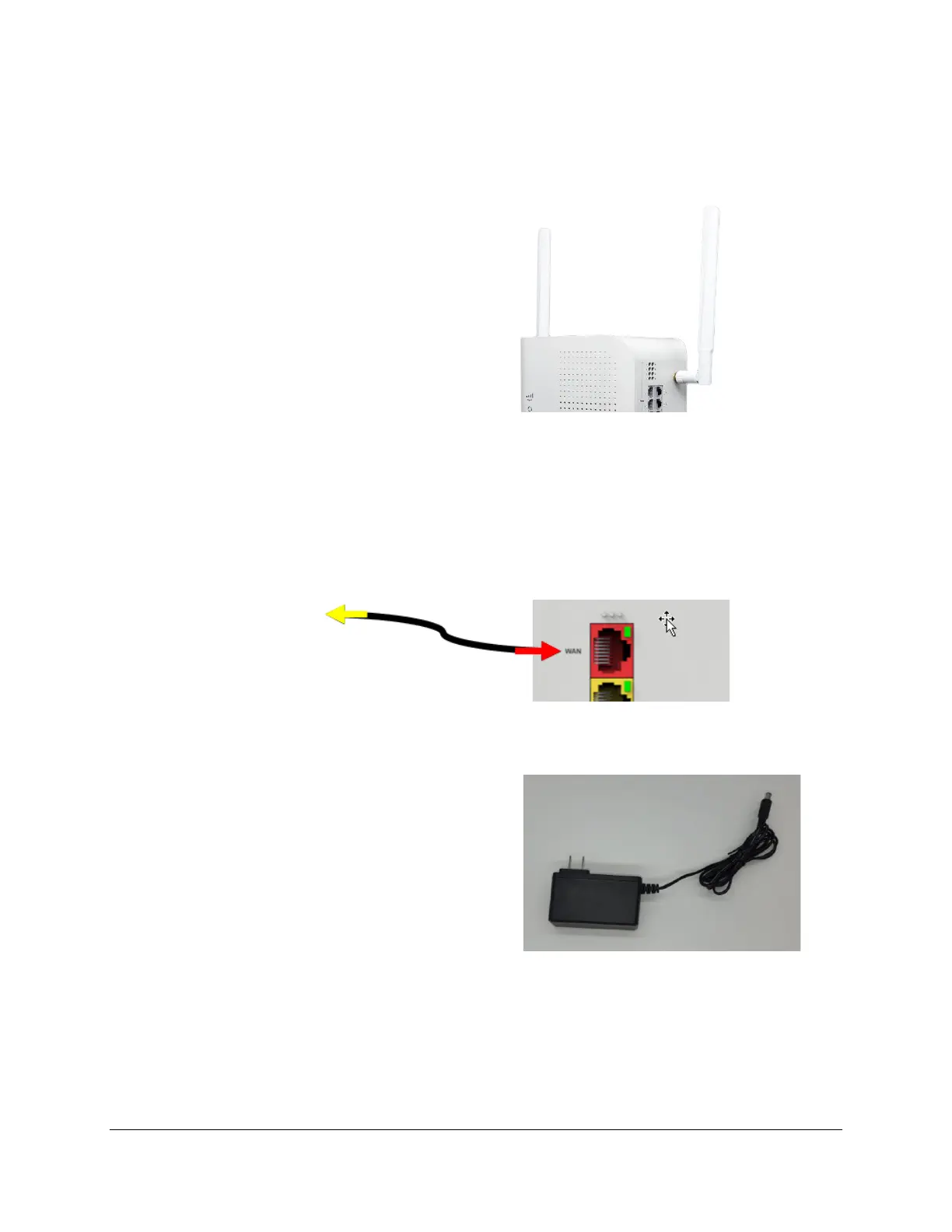
Step 2 – Attach cellular antennas
Attach the two cellular antennas to the
VAB-1 device by using the 2 SMA connectors
Step 3 – Connect broadband ethernet
If you have broadband Internet service, attach an ethernet cable from the red WAN port on the back of the VAB-1
device to one of the LAN ports (usually yellow) on your broadband modem/router. This will help ensure you will
have the best service possible.
Step 4 – Connect power supply
Attach one end of the power supply to the POWER Input port
on the back of the VAB-1 device, and the other end into a USA
120V/60Hz wall power outlet.
Step 5 – Check cellular signal strength
Check the cellular signal strength indicator on the front of the VAB-1 device. If you don’t see one or more green
bars of signal strength, try moving the VAB-1 to a higher floor (and/or closer to a window).


 To Next Page