Step 6 – Connect phone equipment
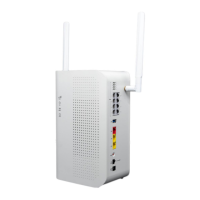
Connect a phone cable between your phone and the associated phone port on the back of the VAB-1 device.
Repeat this step for any alarm, FAX, and/or modem lines that have been set up for your service.
WARNING: DO NOT plug the VAB-1 phone cable into your home phone wall jack. This could damage the
device.
911 NOTICE: BEFORE MOVING THIS VAB-1 DEVICE TO A NEW ADDRESS, CONTACT YOUR VOIP
PROVIDER TO UPDATE THE SERVICE ADDRESS. You must keep the registered address of this device up
to date to ensure a 911 operator will receive your proper location information. When a 911 call is placed,
you may have to provide your location address to the 911 operator. If not, 911 assistance may be dispatched to
the wrong location. If you move this device to another address without first contacting your VOIP provider service
may be suspended.


 To Next Page