EDID MANAGEMENT 16
4. EDID MANAGEMENT
Extended Display Identication Data (EDID) is a standardized data format for a display, such as a
projector, screen or monitor, to describe its performance capability to a video source (in this case,
WATCHPAX 40). The information exchanged in an EDID handshake includes the resolution, refresh
rates and timings available in the display.
This section is a walkthrough on how to manage EDID on a WATCHPAX 40 using NVIDIA’s control
panel. The following functionality is provided:
• Export EDID from a display to le.
• Load EDID from le in order to emulate EDID on one or multiple outputs. This makes it possible to
output a signal whether a display is connected or not.
• Unload the emulated EDID in order to switch to the EDID of a connected display device.
HINT: For xed installations it’s recommended to emulate EDID for a more robust operation. This
makes the WATCHPAX independent of the power state of the connected display device(s).
ACCESS EDID MANAGEMENT SETTINGS
To congure and setup EDID, access each media server locally. Do this either by a Remote Access
(from the WATCHOUT production computer) or connect a USB keyboard/mouse and screen to your
WATCHPAX 40.
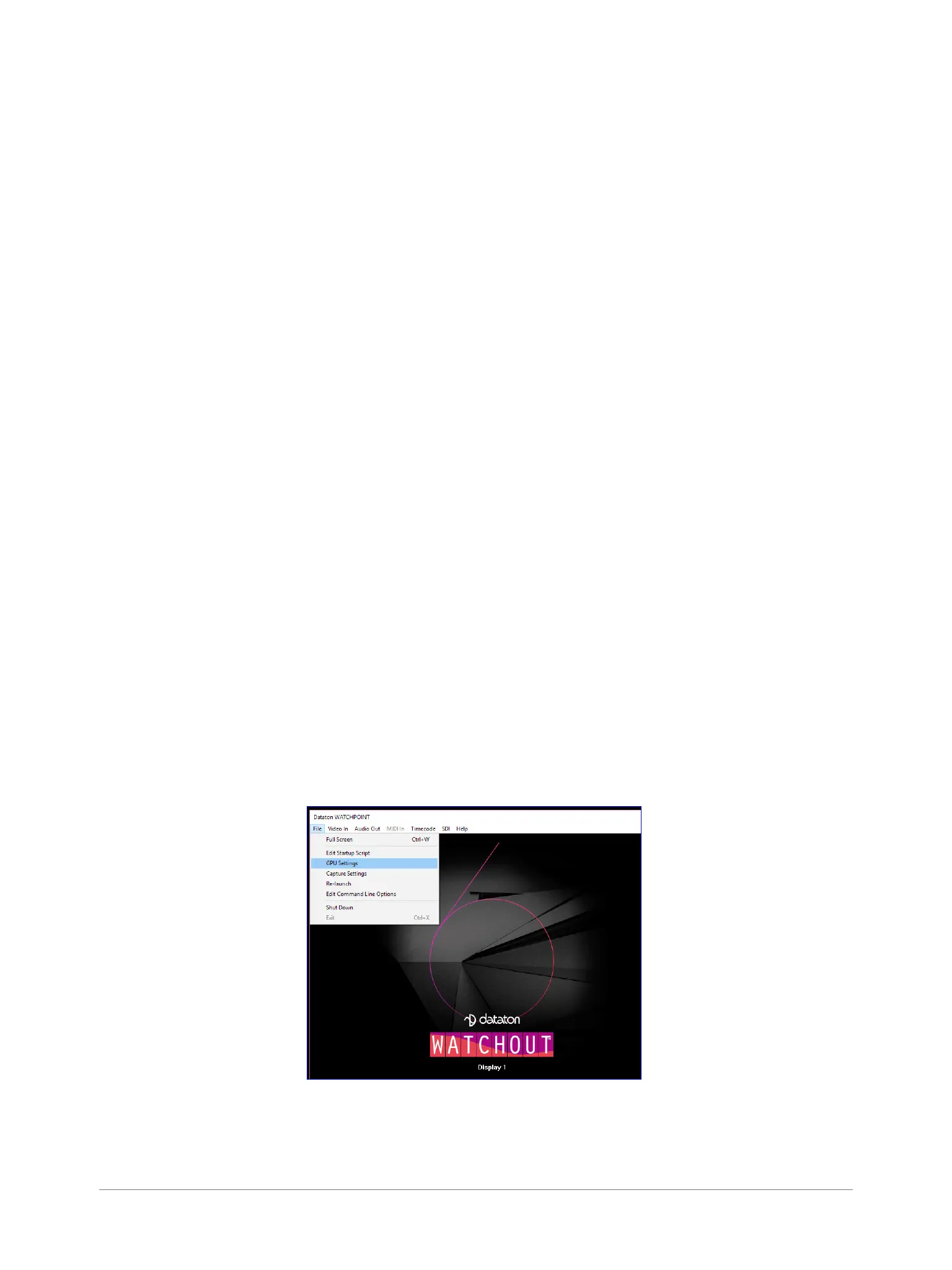
Connecting by Remote Access will automatically bring up the WATCHOUT Display window
(WATCHPOINT). If you are using a local keyboard/mouse and screen, enter Ctrl-W to bring up this
window.
You’ll nd more on this in the “Dataton WATCHOUT User’s Guide” in the section on “Display Devices”
(Chapter 2: Installation) and “Remote Access” (Chapter 4: Commands).
Follow this procedure to access EDID management settings:
1. In the menu select File >GPU Settings.


 To Next Page