INSTALLATION AND OPERATION 7
2. INSTALLATION AND OPERATION
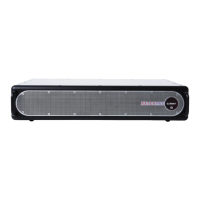
BEFORE USING YOUR WATCHPAX 40
Please read the manual thoroughly before operation. Always check that the unit has not been dam-
aged in transit when you take delivery.
IMPORTANT: The WATCHPAX 40 is a plug-and-play unit. Do not open, modify or repair the unit your-
self. Opening, modifying (software or hardware) or repairing the unit yourself willl invalidate the war-
ranty and presents a risk for the user.
SAFETY FIRST
This product must be grounded. Ensure you connect the power plug to a grounded power socket.
• Insert the power plug all the way in, so it is not loose.
• Do not place the power cord or product near heat sources.
• Do not suspend the unit using the strap handle and do not use the strap as an anchor point.
• Caution: shock hazard if handled carelessly or inaccurately.
• Do not remove cover. Refer all servicing to Dataton. The unit shall be connected to a grounded
outlet.
• Do not use a damaged power cord or plug.
• Do not touch the power plug with wet hands.
• Do not install the product in a narrow space and/or where there is bad ventilation. Do not block the
ventilation in any way when operated. Always keep front and back of unit clear, minimum 200 mm.
• Always keep plastic packaging away from children.
• Do not install the product on an unstable or vibrating surface.
• Install the unit in a clean, dry area without excessive particles or dust, in the air (preferably in an
air-conditioned server room). Do not install the product in a place where it is exposed to high tem-
perature, chemicals, dust, moisture, oil or smoke as this may seriously affect its performance and
lifetime.
• Take care not to drop the product when moving it.
• When installing the product on a shelf, ensure the bottom edge of the product does not protrude to
avoid tipping, for example.
• To move the product, rst disconnect all the cables from it.
• The wall socket should be easily accessible for pluggable equipment.
• High voltage runs through the product. Do not attempt to disassemble, repair, or modify the product on
your own. To move the product, rst disconnect all the cables from it.
• If the product generates a burning smell, or smoke, remove the power cords immediately and contact
Dataton.
• If the product falls, or the exterior is damaged, power off the product, remove the power cords and
contact Dataton.
• If there is a risk of thunderstorm or lightning strike, turn off the power and disconnect all cables.


 To Next Page