EDID MANAGEMENT 18
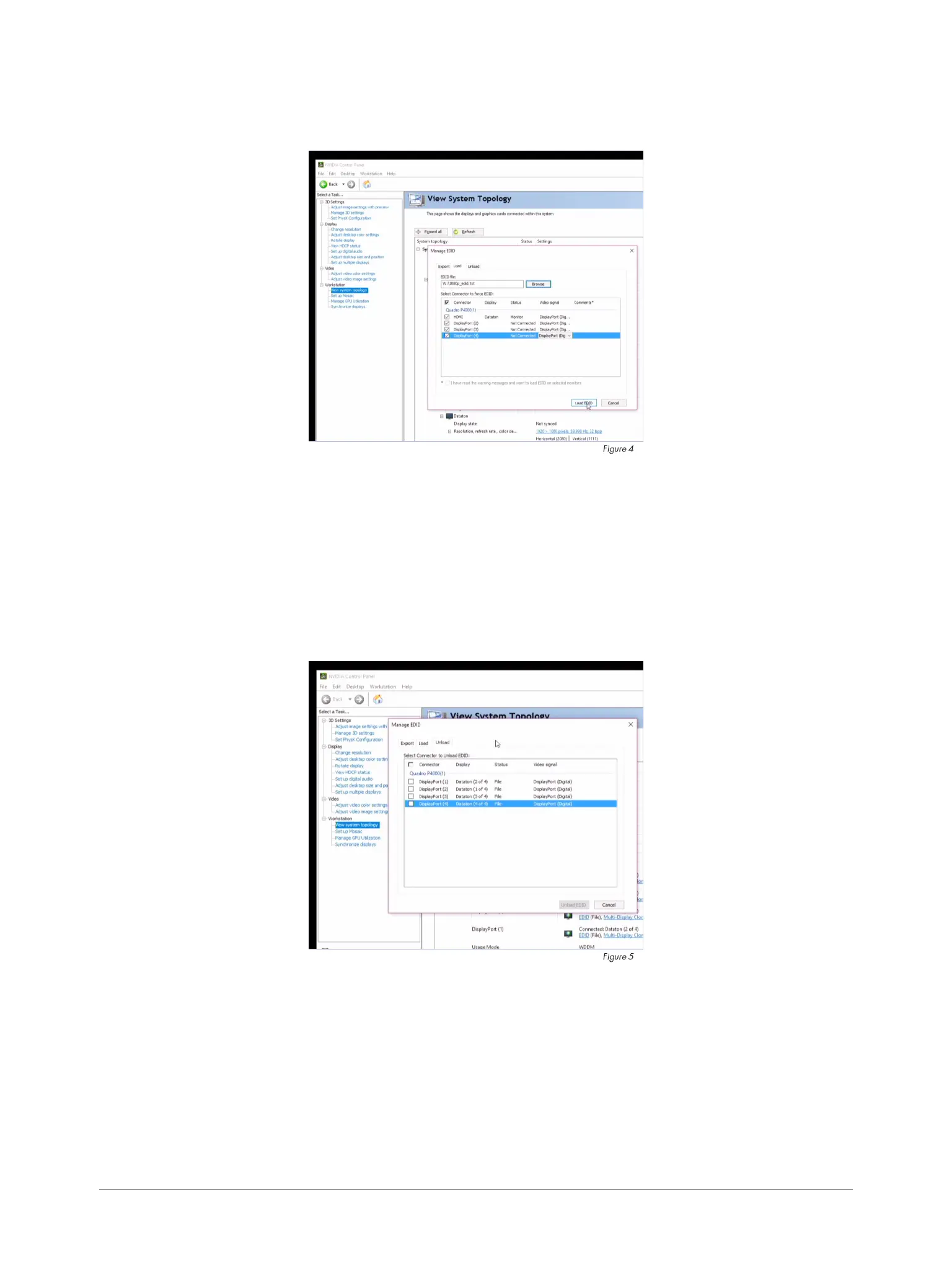
LOAD EDID
To emulate an EDID on selected display(s) from le (gure 4):
1. Select the “Load” tab.
2. Check the outputs to override.
3. Press the “Load EDID” button.
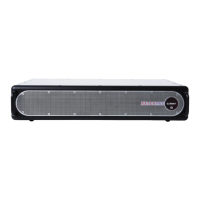
UNLOAD EDID
To remove the EDID emulation on selected displays (gure 5):
1. Select the Unload tab.
2. Check the outputs to unload.
3. Press the Unload EDID button.


 To Next Page