Installing the Power Cord, Power Adapter, and
Network Cable
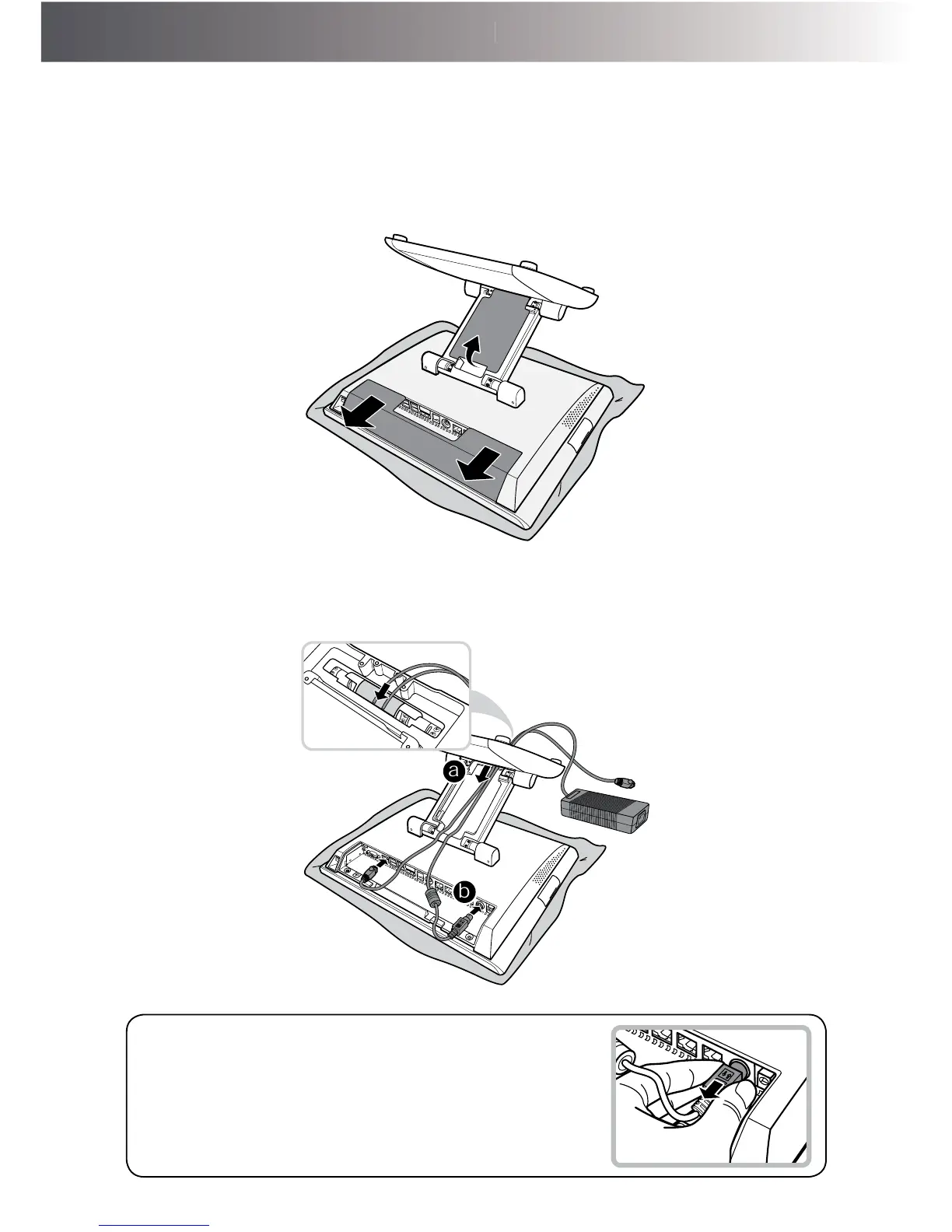
1. 3ODFHWKH7RXFK7HUPLQDORQDVRIWDQGÀDWVXUIDFHZLWKWKH/&'SDQHOIDFLQJGRZQ
Remove the cable compartment and the connectors covers.
2. Route the power adapter and the network cable through the cable compartment. (a)
Then connect the network cable to the LAN port, and connect the power adapter to the 24V
'&,1MDFN
(b)
a
b
When removing the power adapter, be sure to hold the
HQGRISRZHUDGDSWHU¿UPO\DQGSXOOLWRXW



 To Next Page