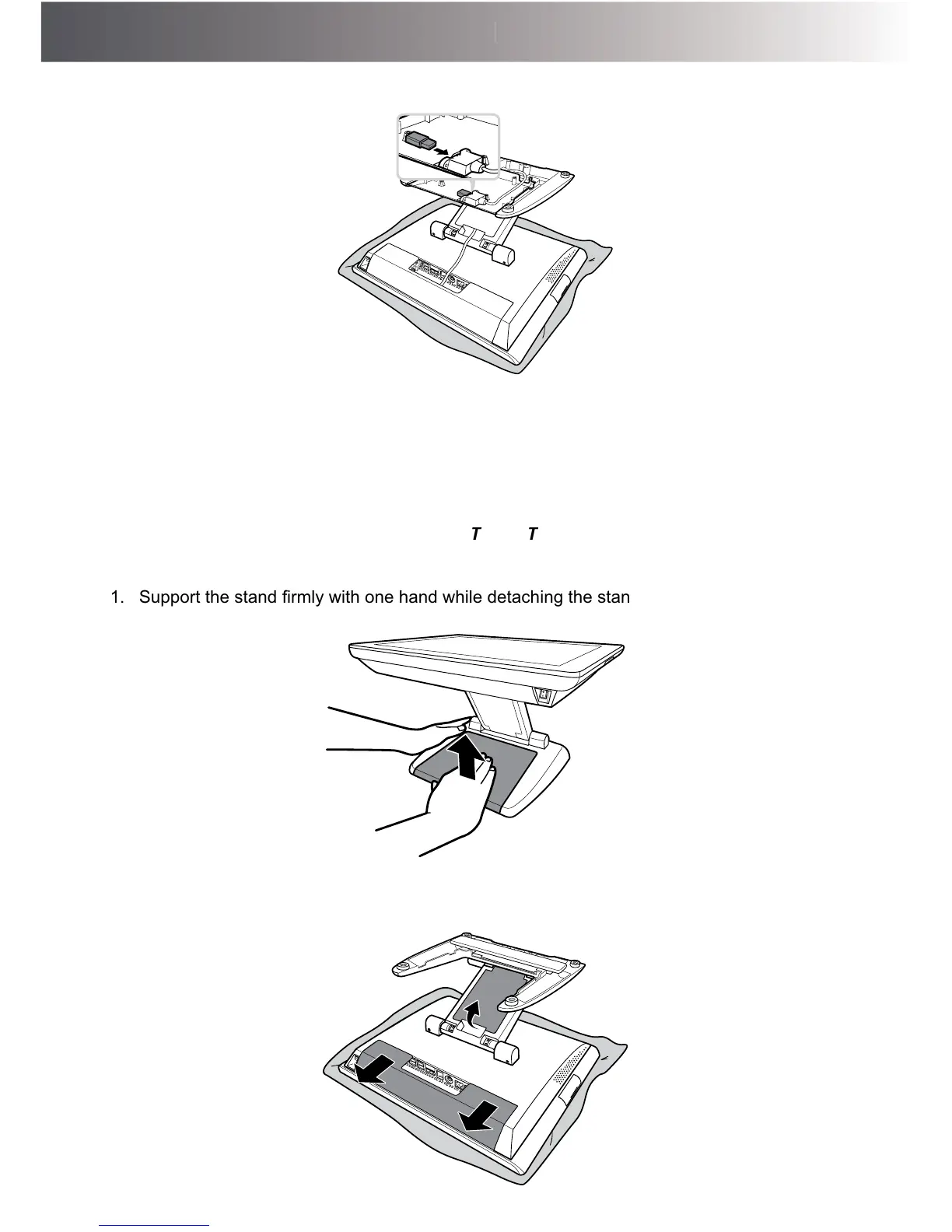
7. Plug the Wi-Fi dongle onto the USB port of the wireless module.
Installing the UPS Kit (Optional)
WARNING:
B e s u re to tu rn o ff th e p o w e r o f th e To u c h Te rm in a l b e fo re m a k in g a n y
c o n n e c tio n o r d is c o n n e c tio n .
1. 6XSSRUWWKHVWDQG¿UPO\ZLWKRQHKDQGZKLOHGHWDFKLQJWKHVWDQGFRYHUIURPWKHVWDQGZLWK
the other hand.
2. 3ODFHWKH7RXFK7HUPLQDORQDVRIWDQGÀDWVXUIDFHZLWKWKH/&'SDQHOIDFLQJGRZQ
Remove the cable compartment and the connectors covers.



 To Next Page