Chapter 1
Introduction
Congratulations on your purchase of this Touch Terminal. Your easy-to-use POS terminal is
GHVLJQHGWRKHOS\RXHQKDQFH\RXUEXVLQHVVÀH[LELOLW\E\RIIHULQJVXSHULRUFXVWRPHUH[SHULHQFH
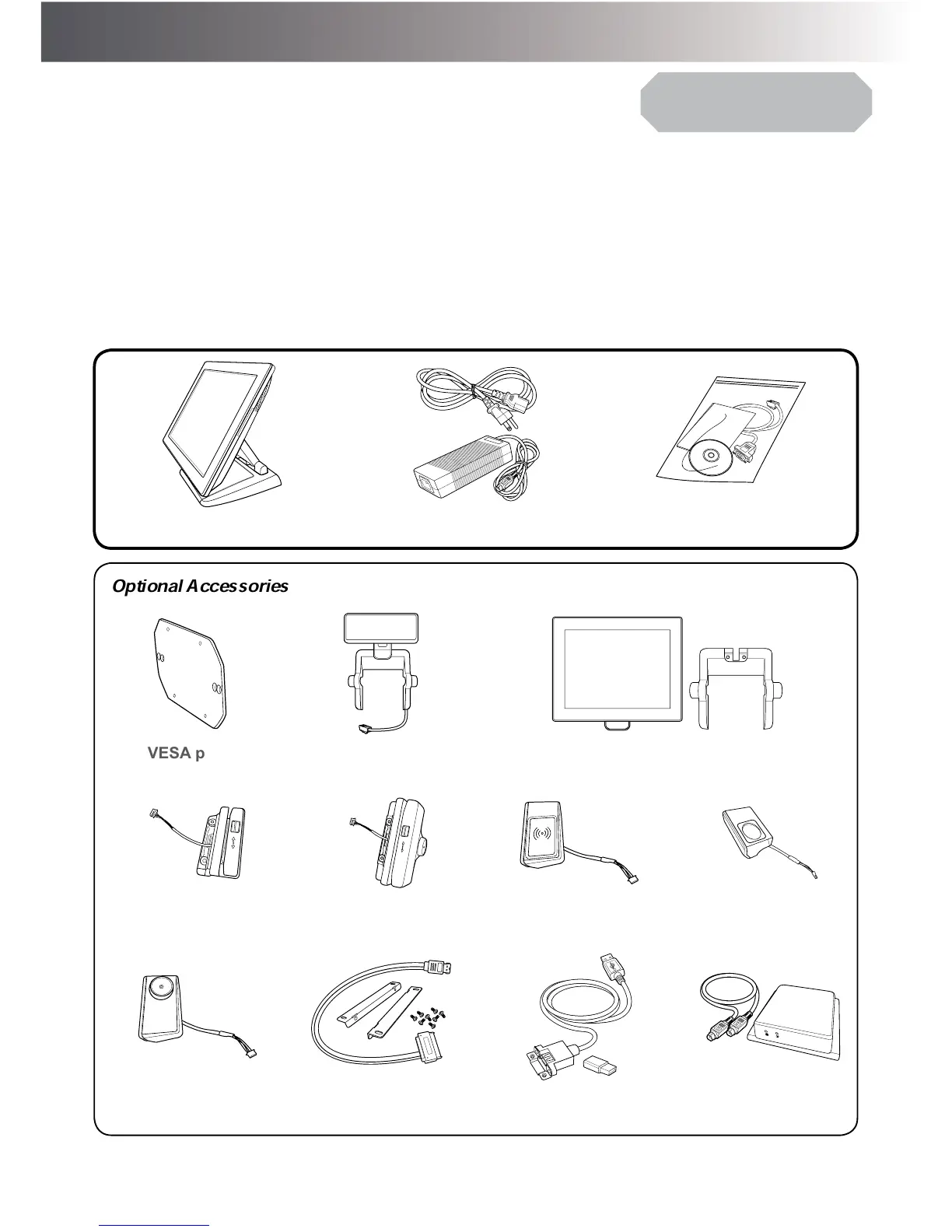
Package Contents
Before setting up your Touch Terminal, check that the package contains the following items. If any
of the items is missing or damaged, contact your vendor immediately.
Quick
Installation Guide
Touch Terminal
Power Cord & Adapter
Accessory Kit
Optional Accessories
VESA plate
(for VESA model only)
Customer Display
(VFD/LCM)
Second LCD Display (8”/10”)
RFID
065,GHQWL¿FDWLRQ
Reader
MSR+iButton
,GHQWL¿FDWLRQ5HDGHU
5),',GHQWL¿FDWLRQ
Reader
Fingerprint
,GHQWL¿FDWLRQ5HDGHU
L%XWWRQ,GHQWL¿FDWLRQ
Reader
Second Hard Disk
Drive Installation Kit
Wireless Module UPS Kit



 To Next Page