65
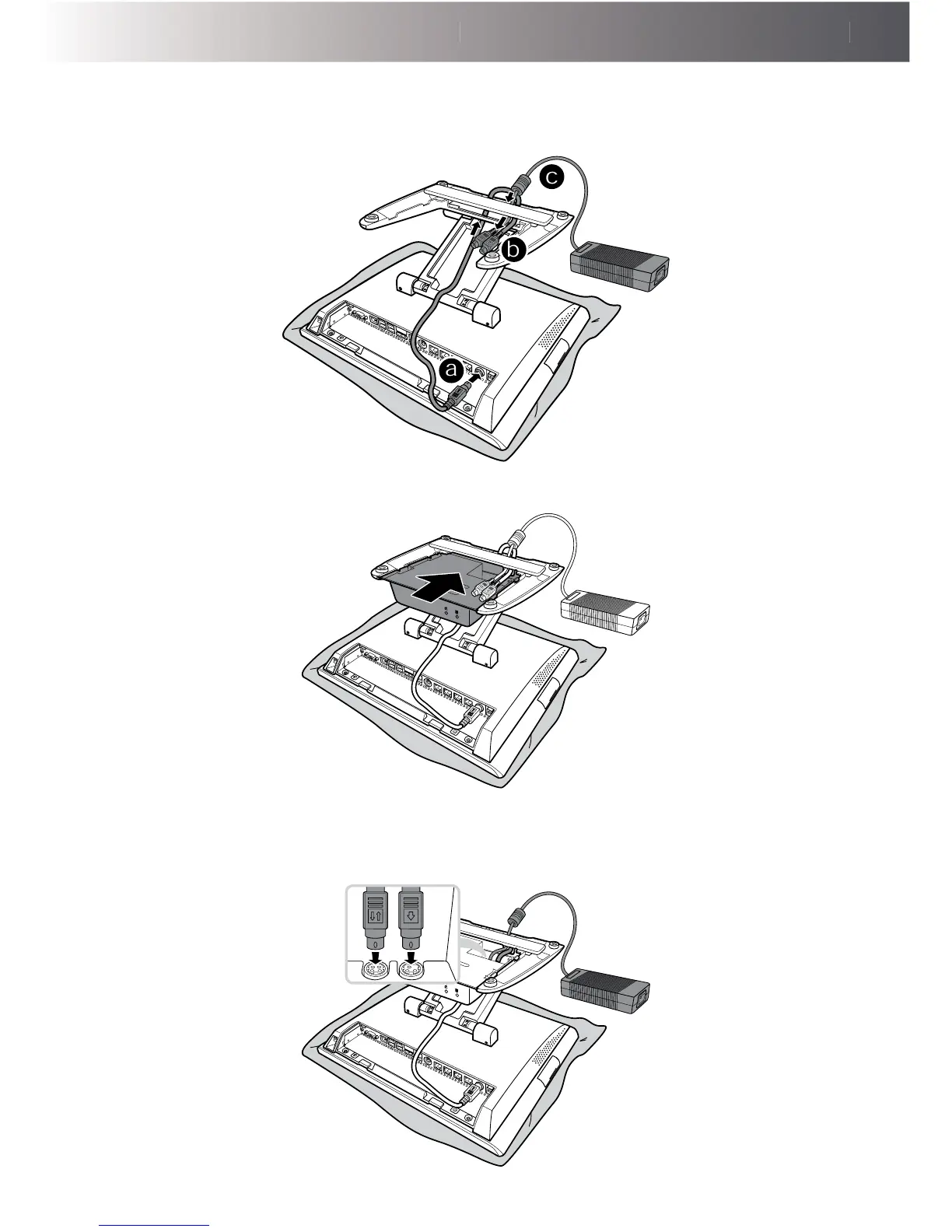
3. Connect the one end of the power cable to the 4-pin'&,1MDFNRIWKH7RXFK7HUPLQDO
(a)
Then route the other end of the of the power cable (b) and one end of the power adapter (b)
through the cable compartment as shown in the illustration.
a
b
c
4. Install the UPS kit onto the stand.
5. Connect the other end of the power adapter to the 4-pin'&,1MDFNRIWKH836NLWRQWKH
left side). Then connect the other end of the power cable to the 3-pin'&287MDFNRIWKH
UPS kit (on the right side).



 To Next Page