49
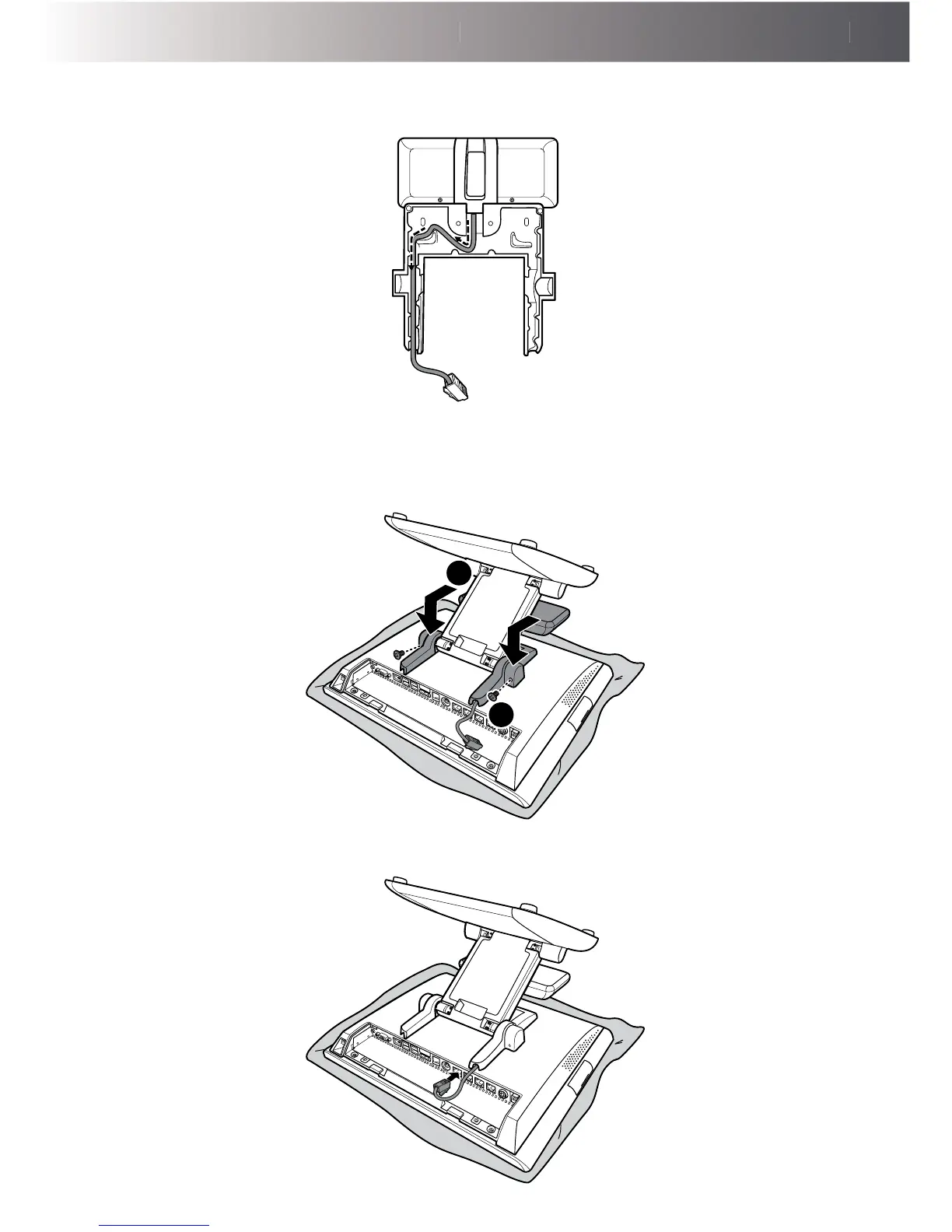
3. Route the customer display’s interface cable on the left side of the cable compartment of the
customer display's bracket, as shown in the illustration below.
4. Install the customer display bracket into its slot on the back of the LCD panel. Make sure the
bracket is properly aligned with the hinge.
(a)
Then secure the bracket to the hinge with the two screws (FУM4x10). (b)
a
b
5. Connect the customer display’s interface cable to the RJ-45 COM port on Touch Terminal.



 To Next Page