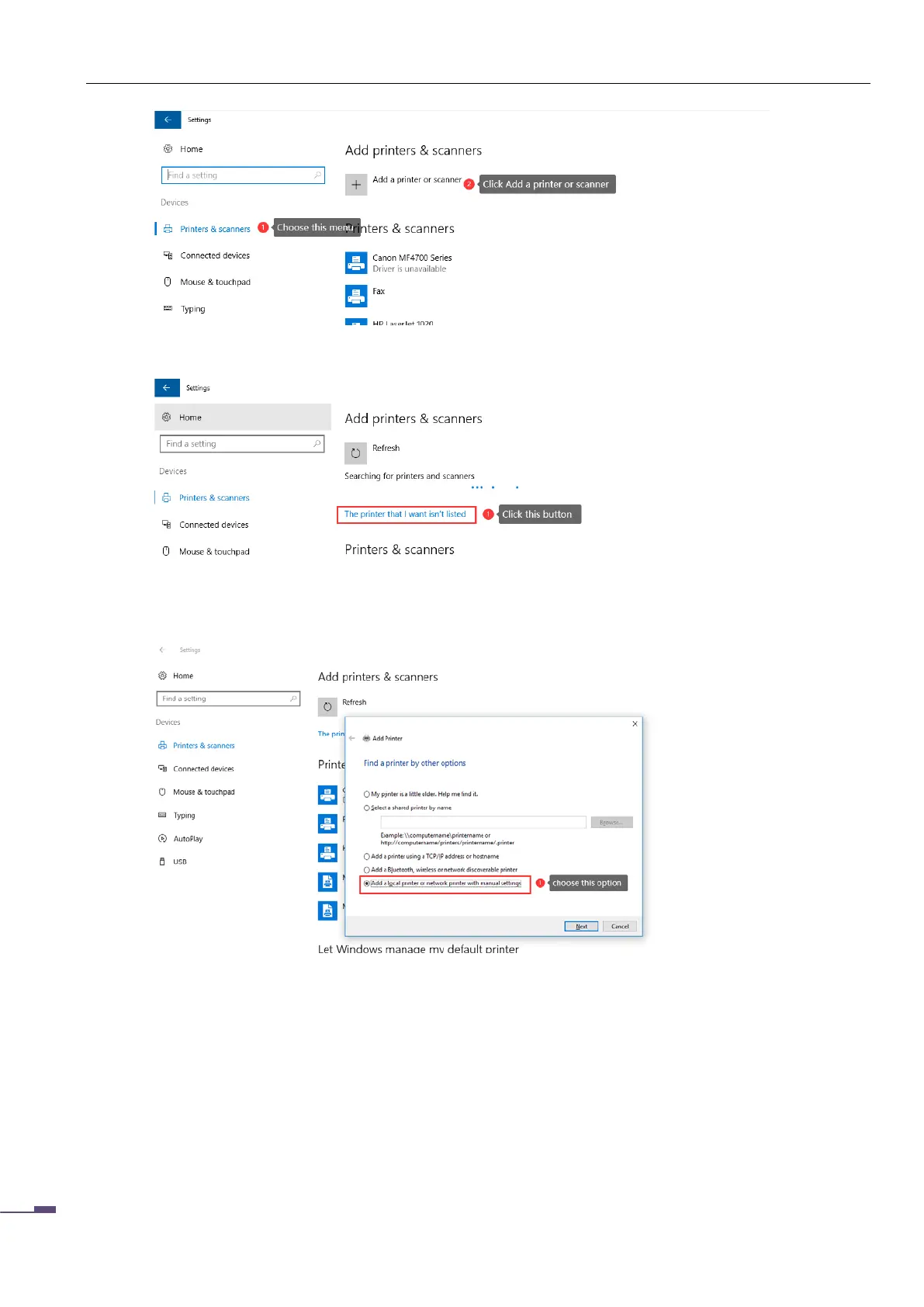
as shown below
At this point, the computer will look for the printer operation, wait for a while, click "The printer I want is
not in the list"
After clicking, enter the printer installation interface, select "Add a local printer or network printer by
manual setting", and then click "Next"
As shown below:
At this point, you need to select or add the port of the printer. If you have added the port of the print
server before, please select it directly (the premise is valid)
If not, you need to add a new port, we need to select the port type as: Standard TCP/IP Port



 To Next Page