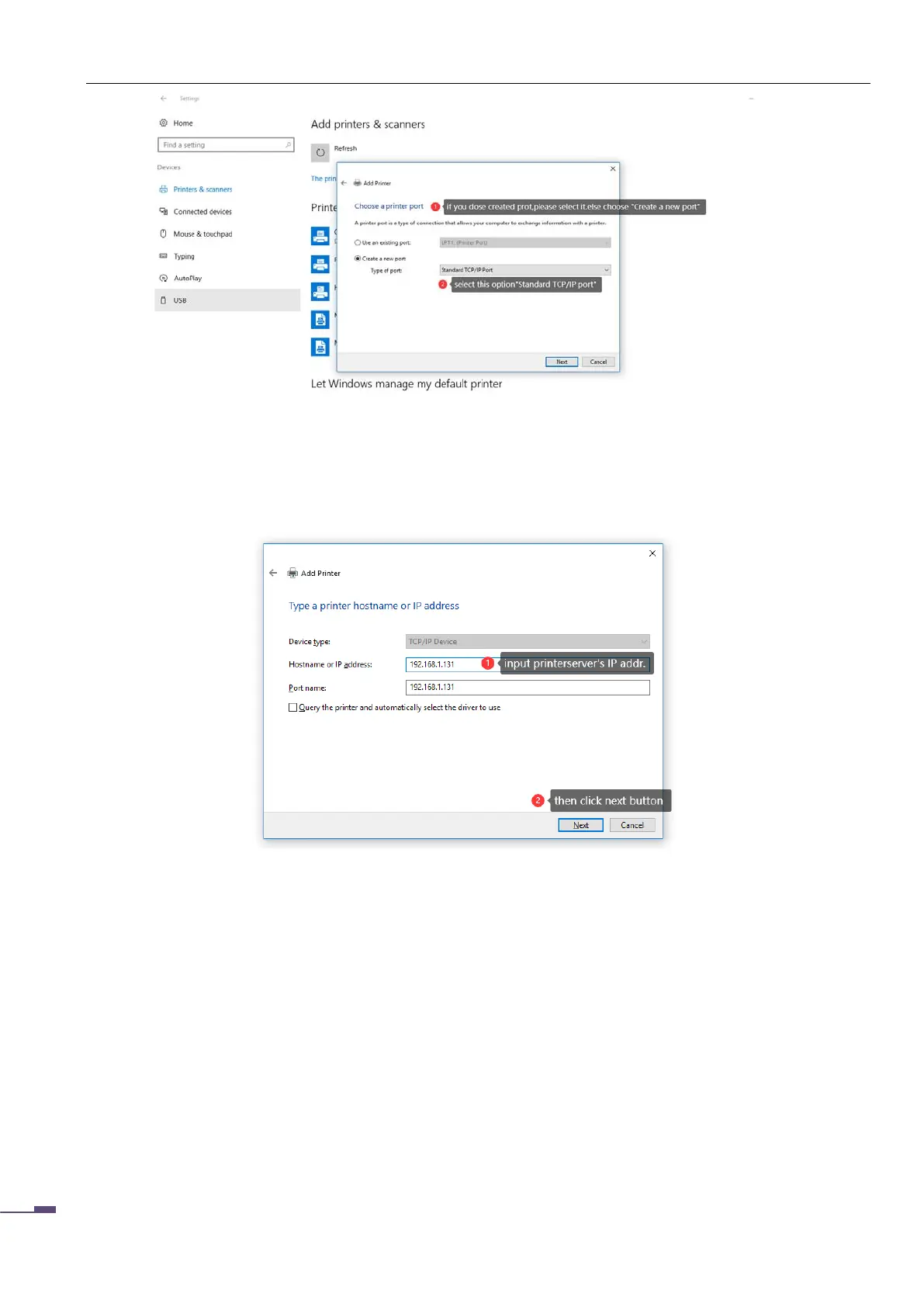
After clicking "Next", the IP address addition window will appear, as shown in the following figure:
In this window, enter the IP address of the print server, the port name (optional), and uncheck "Query the
printer and from ..." ,
Click "Next"
he system will query the port of the printer for a while, and after a while, the interface as shown in the
figure will appear.
Click "Next" to enter the printer driver selection window.



 To Next Page