PRC-BC4-MS 3-1
Chapter 3: Operation
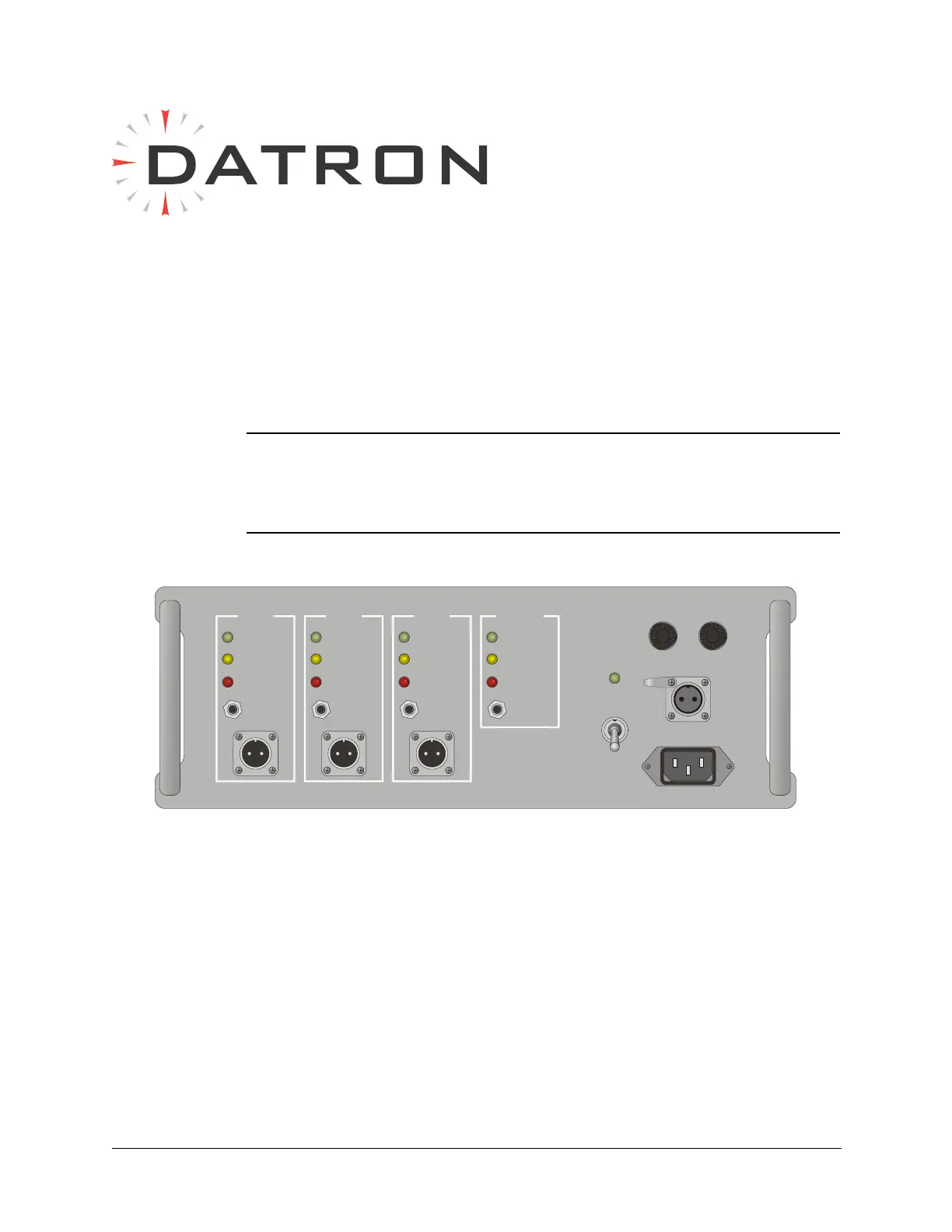
The PRC-BC4 interface consists of four BB-LA6 battery external charging
stations: three accessed from the front panel and a fourth from the rear of the
chassis (refer to Figure 3-2 on page 3-2).
CAUTION: Use the PRC-BC4 to charge BB-LA6 lead-calcium
batteries only. Attempting to recharge lithium,
magnesium or other battery types may result in
explosion or release of toxic material.
To set up the PRC-BC4 for charging operation:
1. Make sure the power transformer is configured correctly for the
intended power source (refer to Figure 2-2 on page 2-3).
2. Do one of the following:
• Connect the AC power cable to the front panel AC INPUT
connector and an AC (110 or 220 VAC) power source.
• Connect the DC power cable (C991609) to the front panel DC
INPUT
connector and a DC (20 to 30 VDC) power source.
Figure 3-1 PRC-BC4 Front Panel
BATT. 1
CHARGING
READY
FAULT
RESET
BATT. 2
CHARGING
READY
FAULT
RESET
BATT. 3
CHARGING
READY
FAULT
RESET
INTERNAL
CHARGING
READY
FAULT
RESET


 To Next Page