M7/M7L/M7LT Modular Satellite Modem Maintenance
M7/M7L/M7LT - Rev. 0.05 3-1
3.0 Operation
3.1. Operating Procedures
Operation of the M7 Modem consists of controlling the unit’s operating parameters and monitoring
status and responses via one of the control interfaces. There are three possible control methods for
the modem:
1. Front Panel Keypad Control. (Section 3.2)
2. Command Interface Binary Control via rear panel 232/485 is discussed in Section 0.
Any of these methods may be used separately or together to monitor and control the modem unit.
Each of these three interfaces and their respective methods are discussed separately below in the
sections noted above.
Additional operating procedures are also presented later in this section on using some of the unique
features of the M7 that would not normally be set-up during installation. These include such items as
the FIFO buffer, built-in BERT, storing and recalling configuration information, AUPC, the analog
monitor output, redundancy and automatic recovery.
3.2. Front Panel
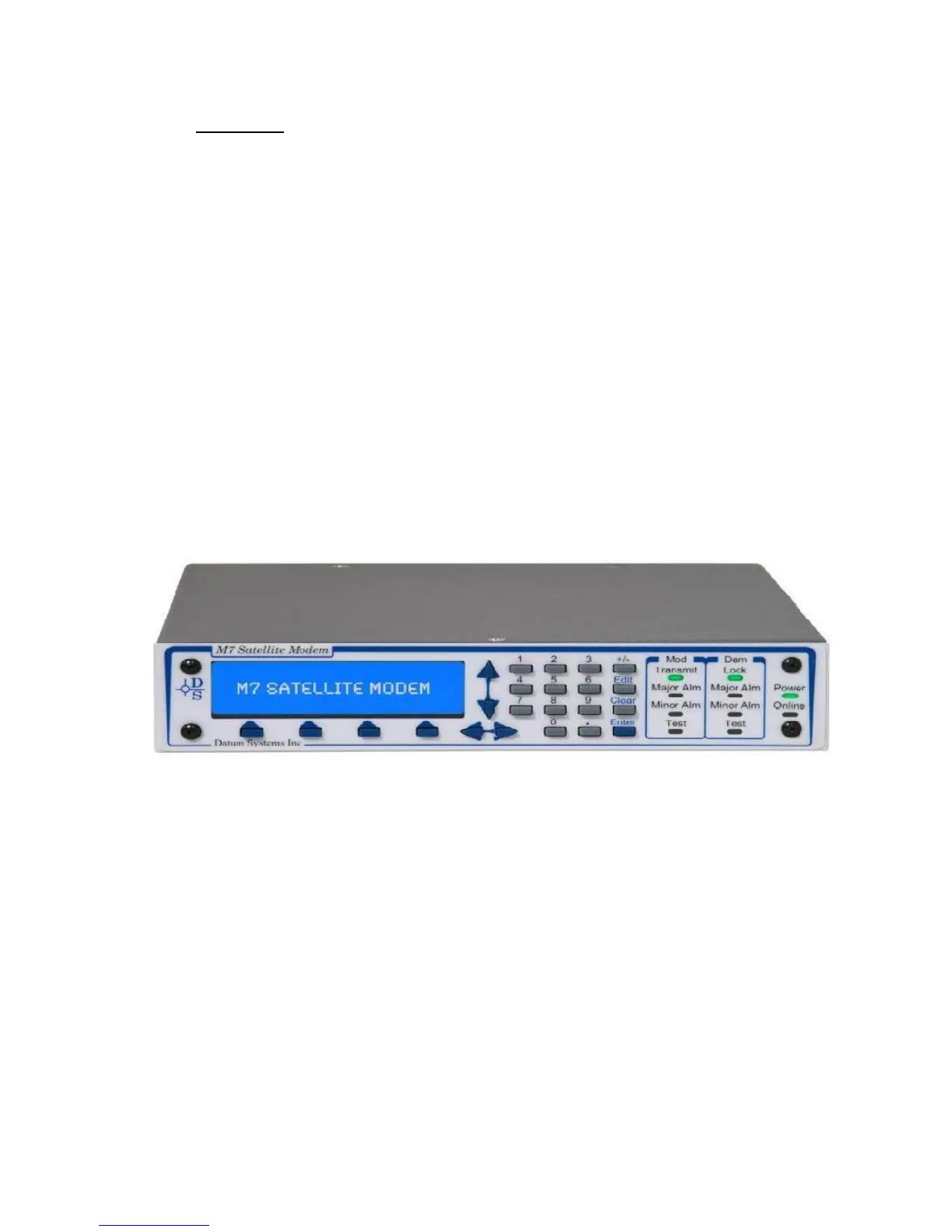
The M7 front panel is divided into three functional areas: the LED Indicators, the Keypad, and the
LCD display. The front panel of the M7 allows complete control and monitor of all modem parameters
and functions. The front panel layout showing the location and labels is shown in Figure 3–1
Figure 3-1 - M7 Front Panel Controls and Indicators
3.2.1. Front Panel LED Indicators
There are 10 LEDs on the modem front panel to indicate current status of the modem’s operation.
They are separated into two columns representing the Modulator status, shown in Table 3-2, and the
Demodulator status, shown in Table 3-3. Modem (Unit) status is shown in Table 3-1. The LED colors
maintain a consistent meaning. Green signifies that the indication is appropriate for normal operation,
Yellow means that there is a condition not proper for normal operation. Red indicates a fault condition
which will result in lost communications
When one of the Alarm lamps below is illuminated, the highest priority alarm condition is displayed in
the LCD window.



 To Next Page