Displaying the Vantage Pro Console
Vantage Pro Manual Page 15
DIS P L A Y IN GT H E VA N T A G EPR O CO N S O L E
You should place the Vantage Pro computer console indoors, in a location
where the keyboard is easily accessible and the display is easy to read. For
more accurate readings, follow these suggestions:
• Avoid placing the Vantage Pro console in direct sunlight. The casing heats up in
direct sunlight. This may cause erroneous readings and / or damage to the unit.
• Avoid placing the Vantage Pro console near radiant heaters or heating / air condi-
tioning ducts
• If you are mounting the Vantage Pro console on a wall, choose an inner or interior
wall. Avoid walls that heat up or cool down depending on the weather.
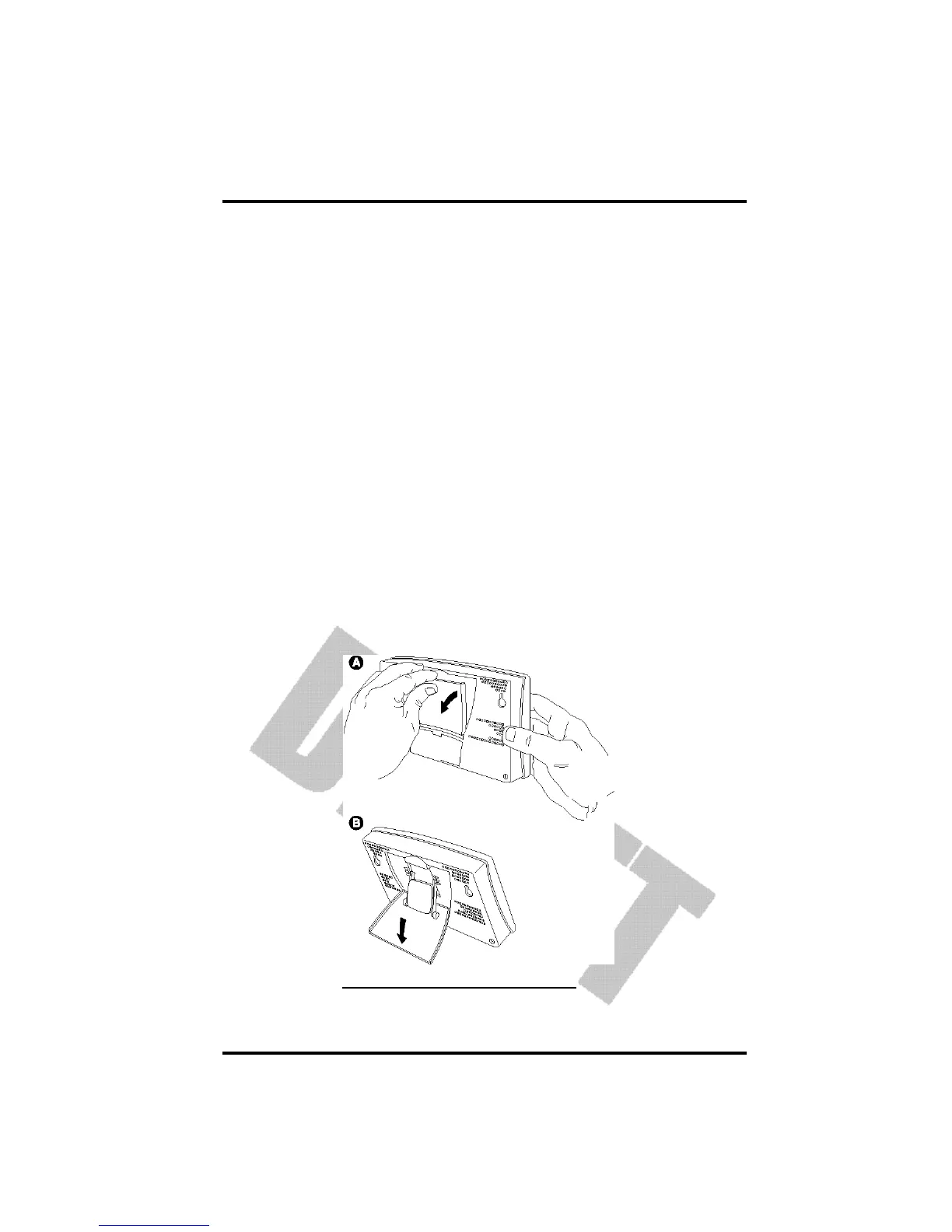
By changing the orientation of the kickstand, you may display the Vantage Pro
on a tabletop, set it on a shelf, or mount it on a wall.
Table & Shelf Display
The kickstand may be set at five different angles appropriate for different dis-
play angles.
1. Lean the kickstand out.
2. Slide the catch to arrest the kickstand in the appropriate angle.
Choose low angles (settings 1 & 2) for display on a coffee table or other low
area. Choose higher angles (settings 3 - 4) for display on a desk or shelf.
OPENING THE STAND FOR TABLE OR SHELF DISPLAY














 To Next Page