13
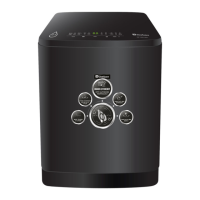
Delay Start Time Button
Adjusts delay start time. Max. 24 h
Water Level Button
The water level is automatically adjusted. However, you can select the water level manually by
pressing this button. The water level button is only active during standby status. The water
level can be selected before the machine starts to run. If you want to change it while the machine
is running, then press START/PAUSE, change the level and press START/PAUSE again.
Displays selected programme’s default water level. Low 1 to 10.
Function Button
With every press of this button, the function changes.
Process Select Button
Each time the button is pressed, the process changes.
y
y
13
Process Select Button
Delay Start Time Button
Water Level Button
Function Button


 To Next Page