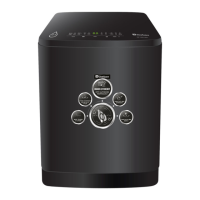
Control panel instruction
Control panel instruction
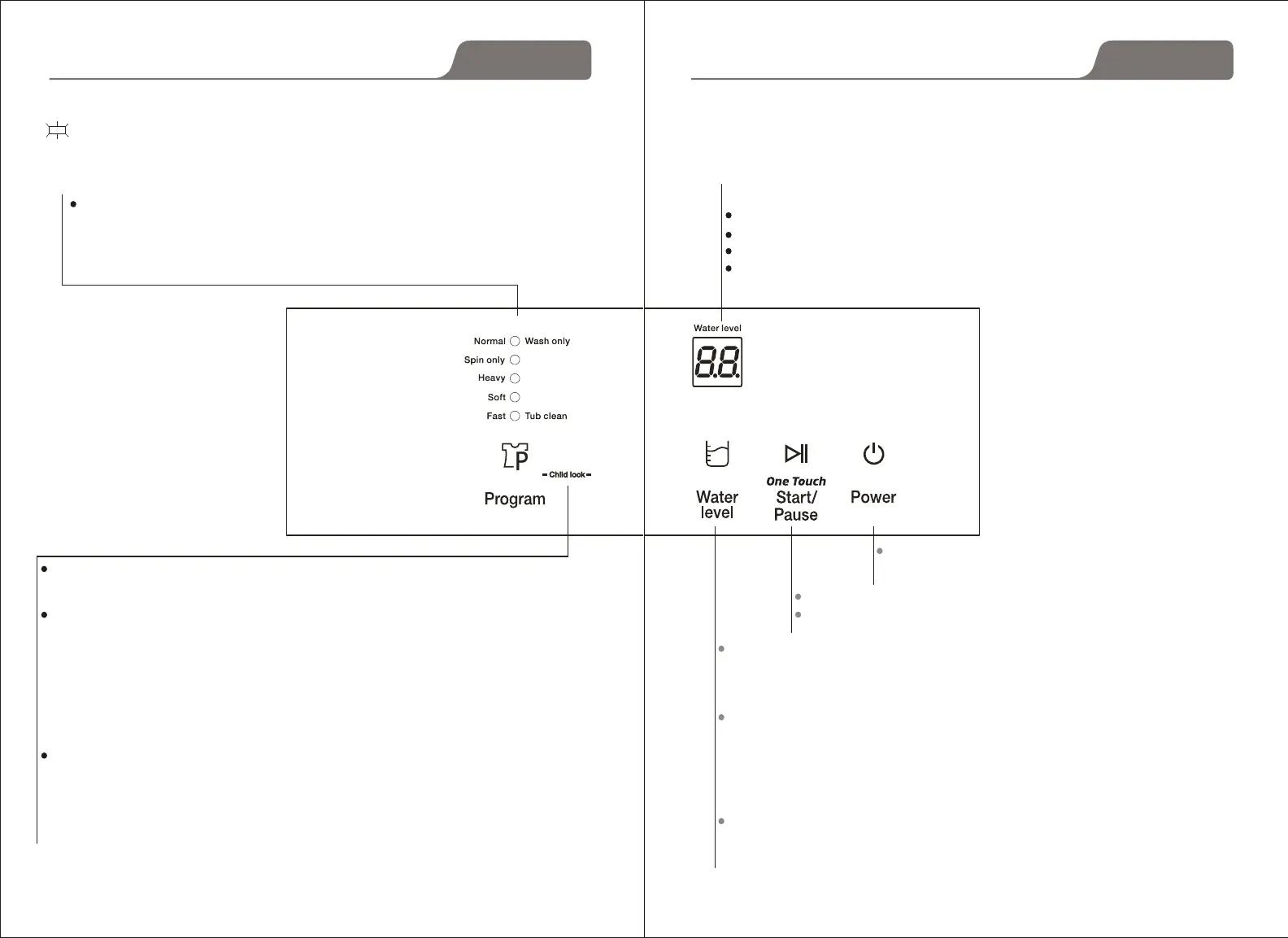
on: indicate the selected mode
Mode and meaning of the indicator light
At the beginning of start, the program is "normal ", press "PROGRAM" button,
choo se different programs. When choose the left ve programs ("normal",
"spin only", "heavy", "soft", "fast"), the light will be on, when press the right 5
programs ( "wash only", "rinse-spin", "water recycle", "air dry", "tub clean"),
the light will ash.
During the machine working, press "WATER LEVEL" and "PROGRAM" buttons
to set "child-lock", the digital timer displays remaining time and "CL" alternately,
press "WATER LEVEL" and "PROGRAM" buttons again to cancel child-lock.
Once child-lock function is set, all the buttons will be locked including power
switch. If open the top lid during the machine working, the machine will stop
working and give an alarm. If open the top lid but close in 5 seconds, the
machine will stop alarm and continue to work. If open the top lid and do not
close in 5 seconds, the machine will start draining if there is water in the inner
tub, and give an alarm, the machine will drain out the water and in the state of
waiting (during draining even close the top lid, the draining will not stop. If
cancel the child-lock function, the drainage will stop), the machine will give an
alarm every 10 minutes
After setting child-lock function, during wash or rinse process, if open the top
lid for 5
seconds (there is water in the inner tub), the machine will start
draining and give an alarm, if cancel the child-lock function during draining,
the machine will inlet water to the setting water level and continue to work.
Constant
Rinse+Spin
Water recycle
Extreme Dryer
Flash
To control the washing machine in working state
or waiting state.
After select program and water level, press this button to start.
Press this button to pause during working, press again will rework.
Digital timer displays program code
If select AIR DRY, the digital timer displays air dry time, unit is MIN.
When washing, the digital timer shows the rest time of washing, unit is MIN.
When trouble encountered, the digital time shows trouble code.
At the beginning of start, press " WATER LEVEL" to set water level, the digital timer
displays from "1" to "10", it is water level 1 to water level 10. At the status,
the water level
is
"7", 1-2 is less water level, 3-4 is low water level, 5-8 is middle water level, 9-10 is high
water level
During wash (including rinse), if need to add water, press "WATER LEVEL" button to add
water, re-press will stop adding, or PAUSE the washing machine and press " WATER
LEVEL" to select higher water level, then press "START/PAUSE" button. The washing
machine will add the water to setting level automatically and continue working. If your
resetting water level is lower than present water level, the lower water level will valid in
next water inlet.
Automatically add water: During WASH and RINSE process, if the washing machine
check the water level is lower than setting water level. The washing machine will pause
and add water to setting water level automatically.
End(min)
11 12
Operation
Operation


 To Next Page