Navigating the menu
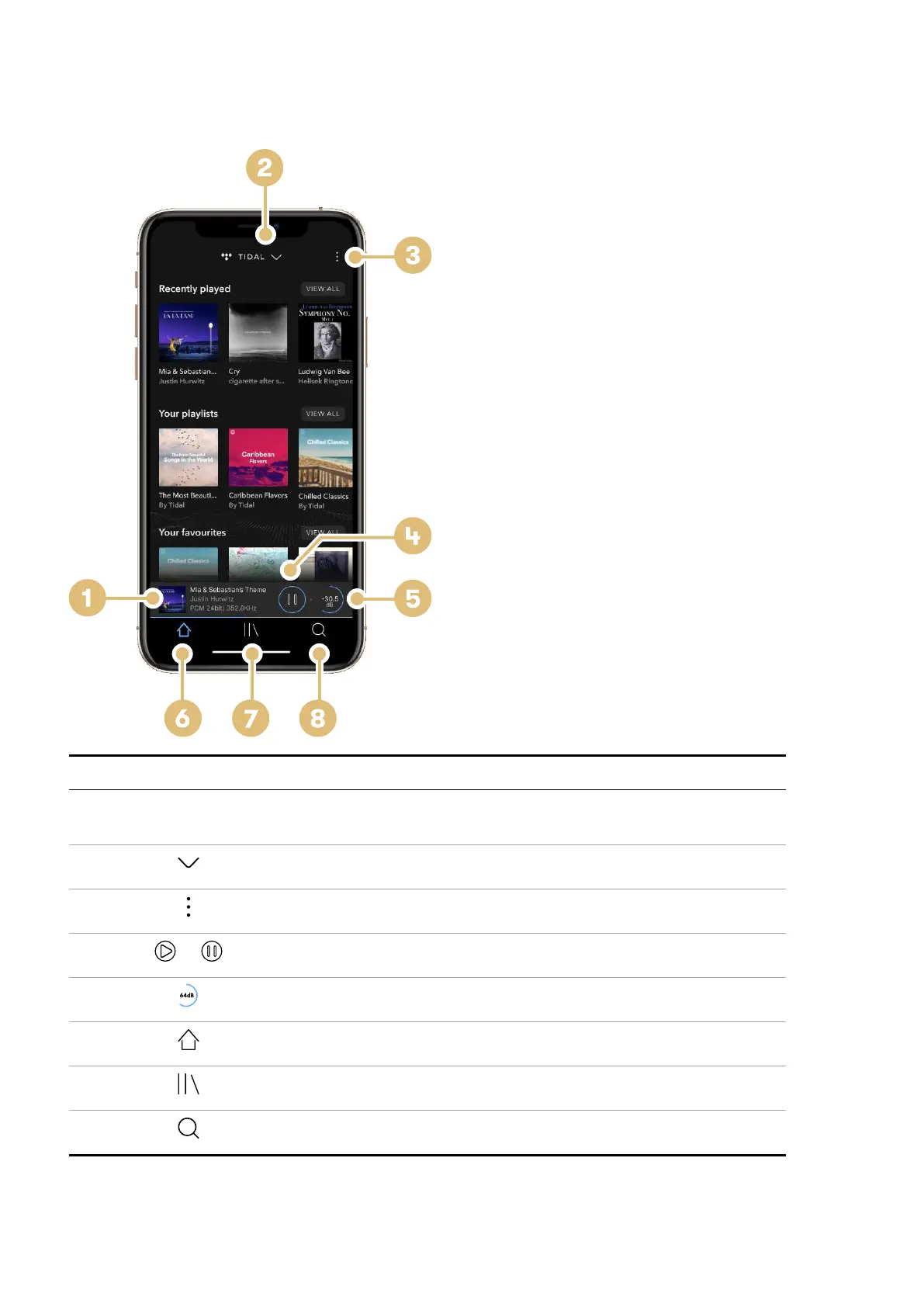
Navigate the Varèse menu by selecting icons in dCS Mosaic ACTUS.
Item Description
1 Current selected track Select this area to open the player screen.
Swipe down to return to the home screen.
2 Open the Select source drop-down.
3 Open the menu to access a connected device, settings and standby.
4
or
Play or pause currently selected track.
5 Adjust volume.
6 Return to the home page.
7 Open your library.
8 Search your music collection.
Getting started
Varèse User Guide
11



 To Next Page