SETTING THE CLOCK (fig. A)
When switching on, the display flashes at
12:00.
Set the clock with + or -.
Confirm with .
If there is a power cut, the clock flashes.
CHANGING THE CLOCK (fig. B)
The function selector switch must be in
the zero position.
Press ; the minute minder symbol
appears . Press again and set the
clock using + or - .
Confirm with .
MINUTE MINDER (fig. C)
This function can only be used when the
oven is off.
Press .
The minute minder flashes . Set the
minute minder with + or -.
Press to confirm. The timer will then
start.
Once the time has lapsed, there is a
sound signal.
To stop it, press any key.
The time appears again in the display.
NB: You can modify or cancel the minute
minder at any time by pressing . To
cancel, set to 00:00.
If you do not confirm, it will be saved
automatically after a few seconds.
LOCKING THE CONTROLS (fig. D) -
Child safety
Press + and - at the same time until the
symbol appears on the screen. To
unlock, press + and - until the symbol
disappears off the screen.
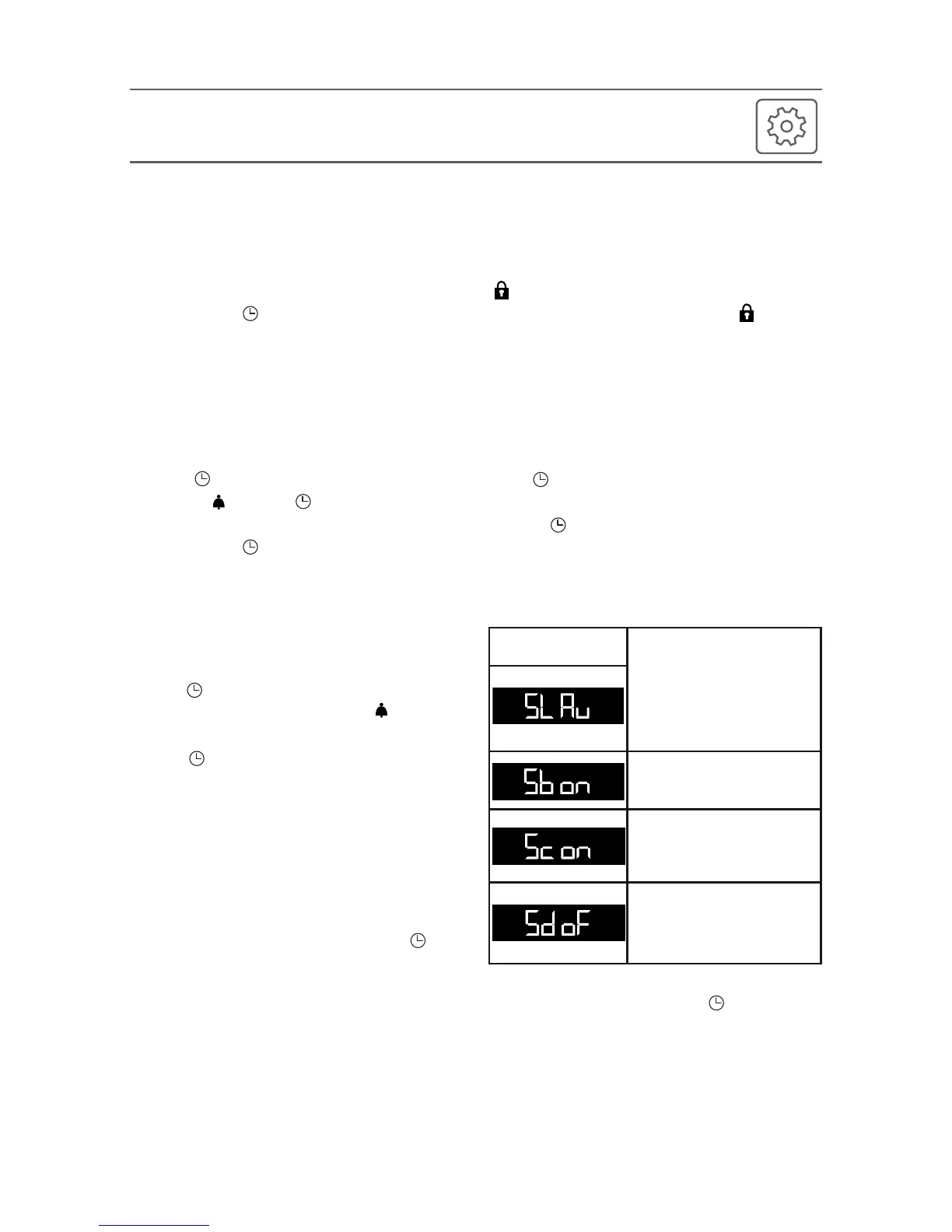
SETTINGS MENU (fig. E)
You can adjust different settings on your
oven. To do so:
Hold down until you get to the “MENU”
display to access the settings mode.
Press again to scroll through the
different settings.
Activate or de-activate the different
parameters with + and -; see table below:
To exit the “MENU”, press again.
Light:
Position ON, the light stays
on throughout cooking
(except in ECO mode).
Position AUTO, the oven
light turns off after 90
seconds when cooking.
Sounds - beeps:
Position ON, sounds active.
Position OFF, no sounds.
Pre-heating:
Position ON, active.
Position OFF, no pre-
heating.
DEMO Mode:
Position ON, mode active.
Position OFF, normal mode.
7
•
2SETTINGS
Default
settings







 To Next Page