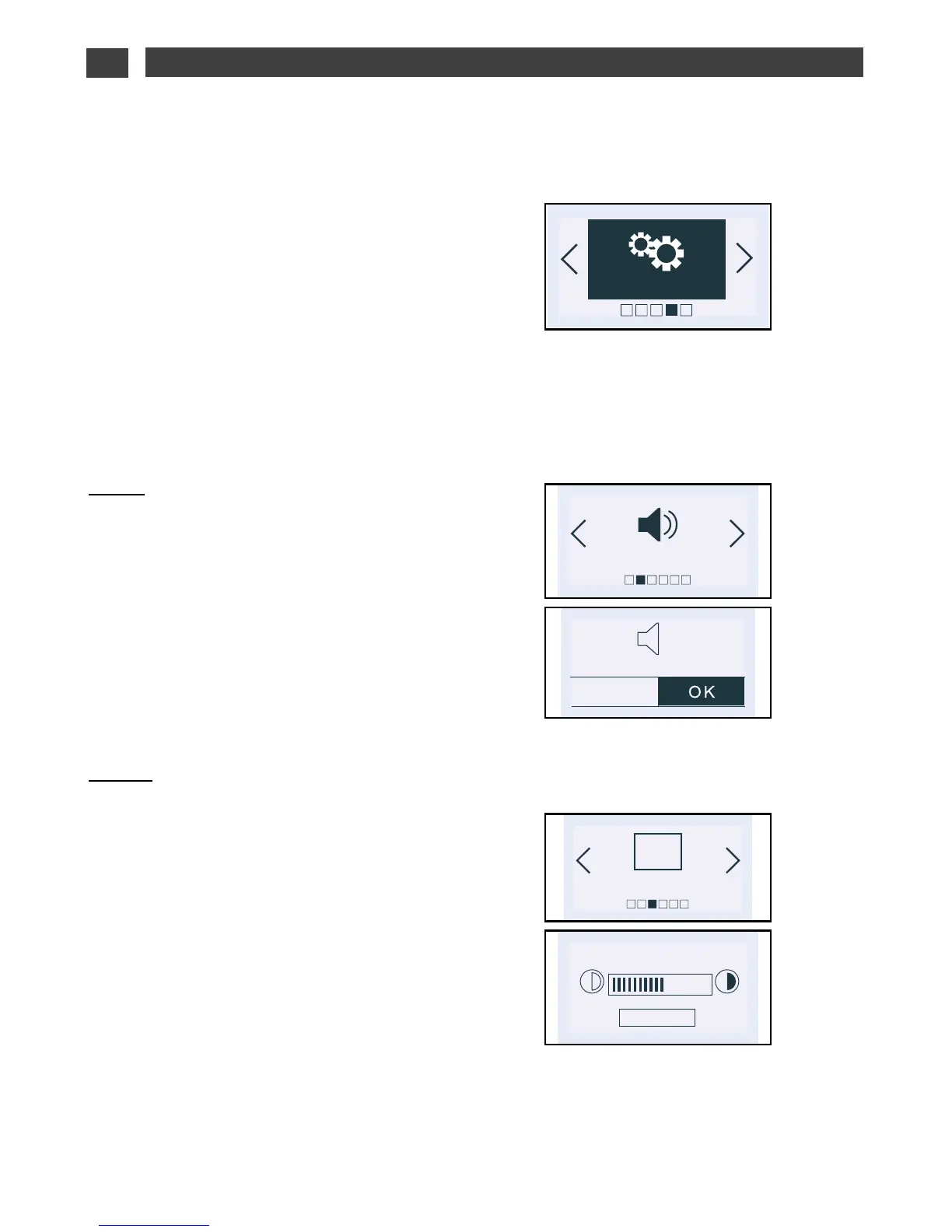
Press the < and > buttons until you reach the
“Settings” screen.
Confirm by pressing OK.
You have access to the following settings:
- Clock (see beginning of this section)
- Sound
- Display
- Consumption
- Language
- De Dietrich services
Sound:
Press the < or > buttons and until you reach
the “Sound” screen.
Adjustment of the sound emitted when
buttons are pressed:
If you wish, you can mute the beeps emitted
each time you press confirm.
To do this, go to this option and select:
Beep on (active) or Beep off (silent). Confirm.
Display:
Adjusting screen contrast:
Press the < or > buttons and until you reach
the “Display” screen. Confirm by pressing OK.
Select the contrast bar using the < or >
buttons and confirm.
Increase or decrease the contrast using the
< and > buttons then confirm by pressing OK.
•
“SETTINGS” FUNCTION


 To Next Page
 Loading...