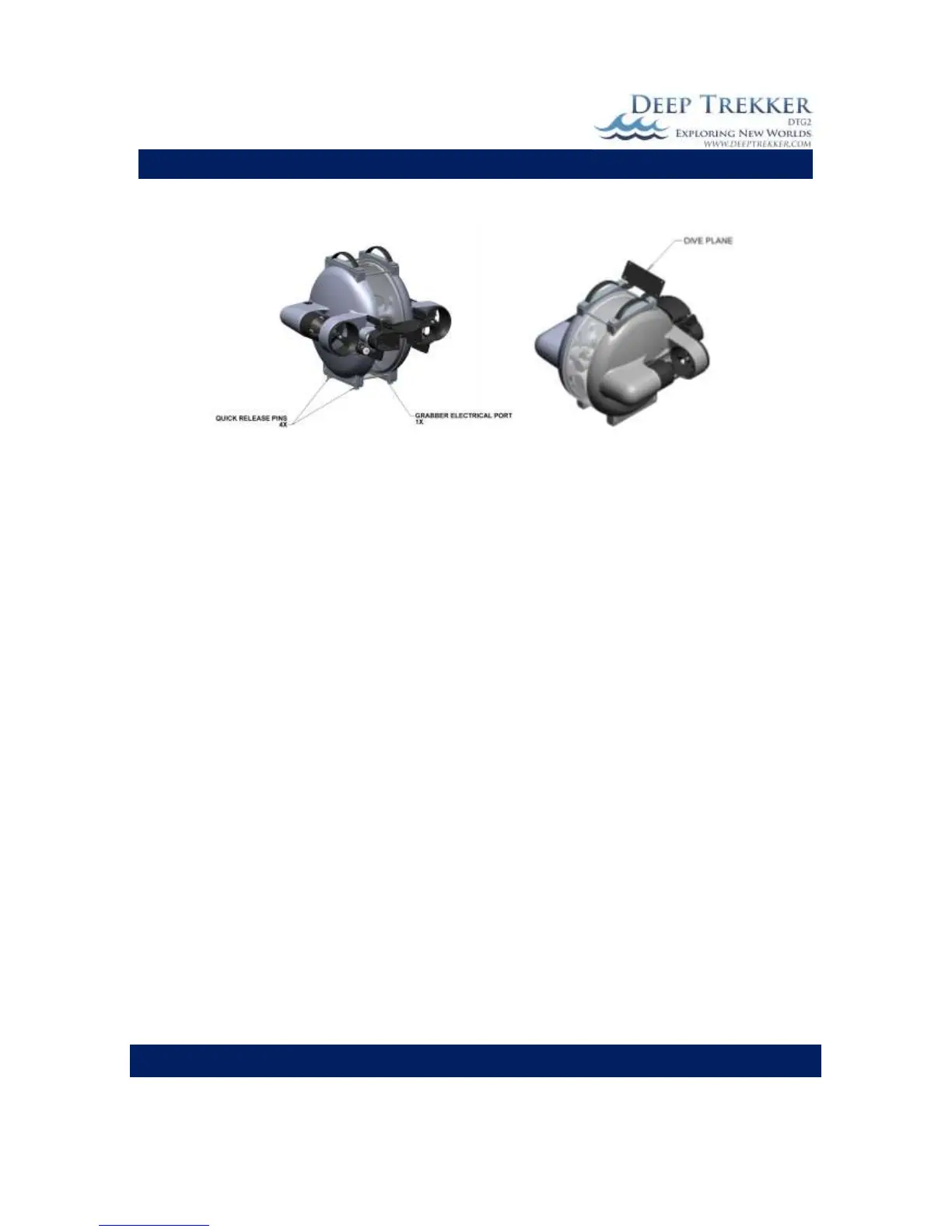
5) Remove the dive plane
Fig. 10
To install the grabber take the following steps;
1) Shut down the ROV power.
2) Mount the grabber using the 4 quick release pins.
3) Remove the plug protecting the electrical terminals on the rear side of the ROV.
4) Check the O-ring on the grabber’s electrical connector connecting into the rear of the ROV. If
damaged, replace. Ensure both are completely dry.
5) Plug in the grabber electrical connector and tighten by hand (not a wrench). Do not allow the
plastic bulkhead mounted to the rear of the ROV to turn. If the plastic bulkhead appears loose,
contact your authorized Deep Trekker Service center.
6) Install the dive plane.
7) Turn ROV on and ensure proper functionality.


 To Next Page