Optional Equipment – Video Glasses
The video glasses are a great addition when working in high sunlight. Although the LCD screen is 4 times
brighter than a laptop screen, the video glasses block out all of the light and allow you to view what the
DTG2 sees directly in front of your eyes like a TV screen.
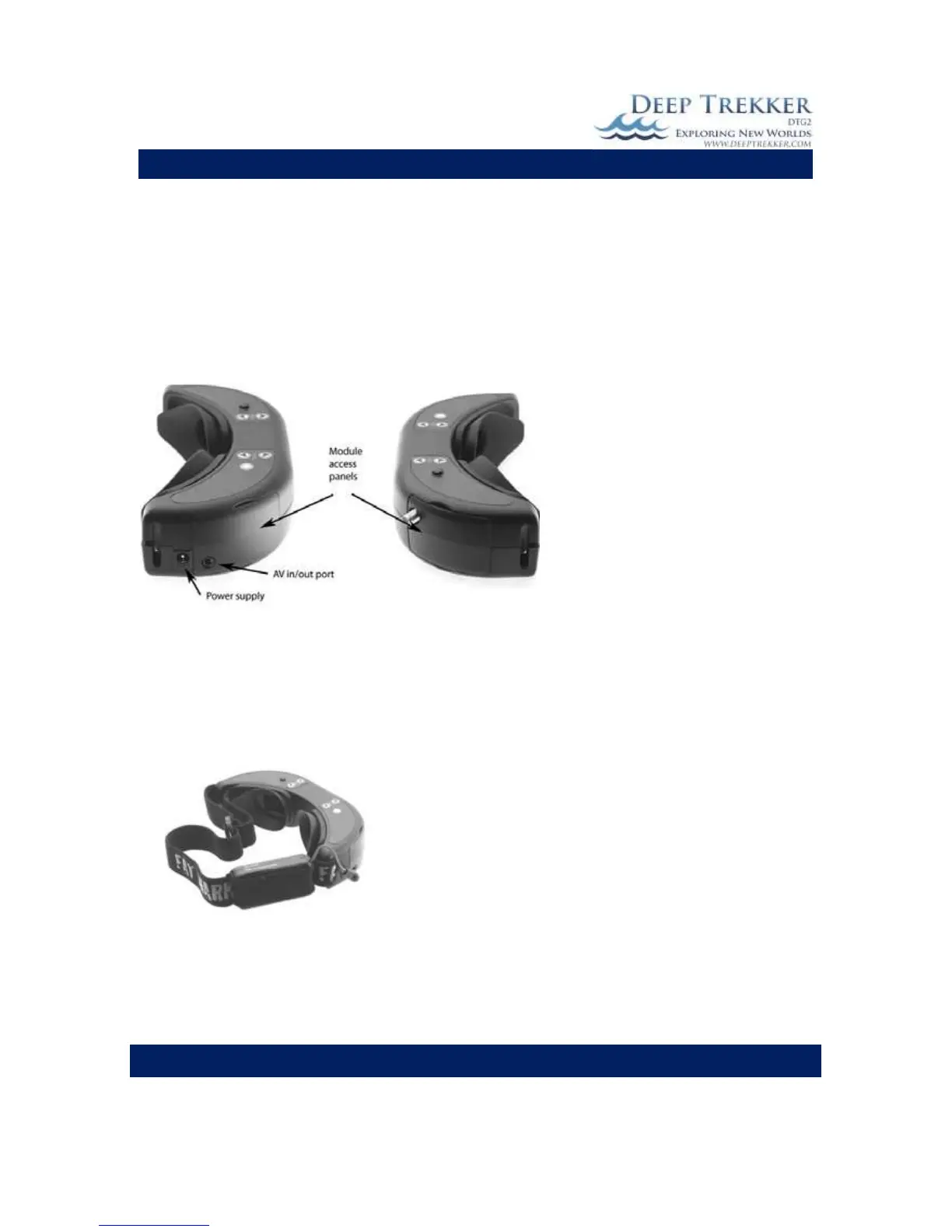
The video glasses are plugged in from the AV in/out port on the video glasses into the front of the
controller to the RCA Video out port.
Fig. 12
The battery pack must also be plugged in for the video glasses to function. Plug the power cord from the
battery pack into the power supply outlet on the video glasses.
Note: Whenever the battery is plugged into the video glasses it is using power. It is important to unplug
the glasses when they are not in use to save the battery.
Fig. 13
To recharge the batteries, plug the power cord from the battery pack into the charger provided.


 To Next Page