-17-
11.3 Trimmer Function
- - - - - - - - - - - - - - - - - - - - - - - - - - - - - - - - - - - - - - - - - - - - - - - - - - - - - - - - - - -
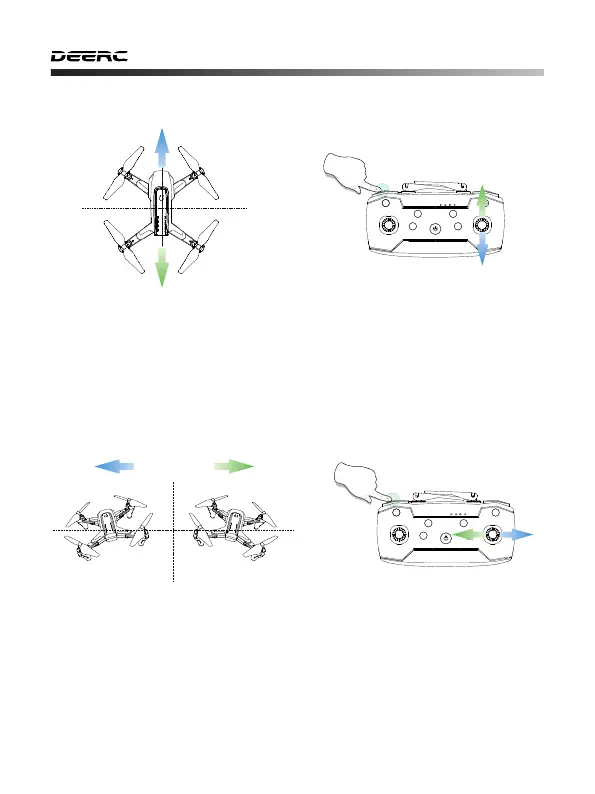
F/B Sideways Drift Trim: If the drone tends to drift forward, hold down the
“Speed Switch” button and do not release it while pushing the direction
joystick down to re-balance the drone. If the drone tends to drift backwards,
hold down the“Speed Switch” button and do not release it while pushing
the direction joystick up to re-balance the drone.
L/R Sideways Dip Trim: If the drone tends to drift left, hold down the
“Speed Switch” button and do not release it while pushing the direction
joystick right to re-balance the drone. If the drone tends to drift right, hold
down the “Speed Switch” button and do not release it while pushing the
direction joystick left to re-balance the drone.



 To Next Page