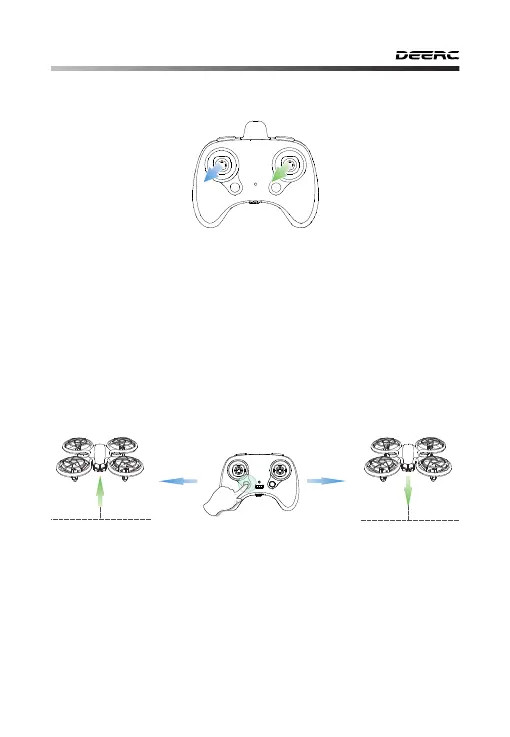
10.4 Calibrate the Gyro
①Takeoff: After calibration, short press the One Key Takeoff/landing
button, the drone will automatically take off and hover at 5 feet altitude.
At this time, you can control this drone by using the joysticks.
②Landing: Short press the One Key Takeoff/Landing button again, the
drone will land on the ground by itself .
-16-
Tip:
To ensure a stable flight, we suggest that the pilot calibrates
the gyro every time after pairing the drone and after a crash.
As shown in the figure above, push the left and right joystick simultane-
ously to the lower left corner
to calibrate the gyro. The lights on the
drone will blink quickly and turn solid, then 2 beeps will be heard from
the transmitter that indicates the calibration is completed.
10.5 One Key Takeoff/Landing
Takeoff
①
②
- - - - - - - - - - - - - - - - - - - - - - - - - - - - - - - - - - - - - - - - - - - - - - - - - - - - - - - - - - -
Landing



 To Next Page