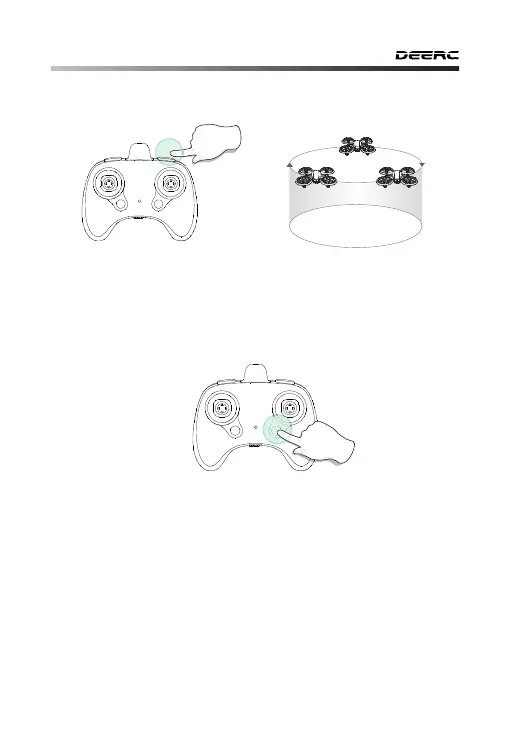
11.5 Circle Fly
Long Press
During the flight, long press the Circle Fly button, the transmitter will
make a long “Di” sound, which indicates that the drone enter the Circle
Fly. Exit the Circle Fly mode by long pressing the same button again.
-20-
- - - - - - - - - - - - - - - - - - - - - - - - - - - - - - - - - - - - - - - - - - - - - - - - - - - - - - - - - - -
11.6 Light Switch
Short press the Light Switch button once you can change the light
state. Every time the light state changes, the transmitter will send a beep
sound.
The first state: Diagonal lights flash alternately.
The second state: The lights flashing clockwise one after another.
The third state: The front blue lights will turn off, and the rear green
lights will turn on. (When this state is activated, you can get better
photos and videos.)
The fourth state: All lights will turn off.
The fifth state: All lights will turn on.



 To Next Page