9 HOMEDEPOT.COM
Please contact 1-866-308-3976 for further assistance.
Operation
4
Selecting a musical tune -
wireless installation
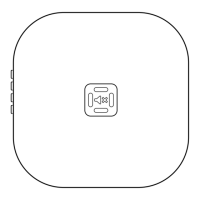
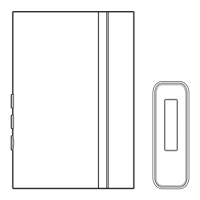
The doorbell base (B) has different selectable tunes.
The push button set as the “REAR” push button will
only play Ding-Dong (two note tune). The push button
set as the “FRONT” push button will play any of the
musical tunes.
□ Press and release the “TUNE” button on the
doorbell base (B) until desired tune is heard.
□ Snap the doorbell cover (A) onto the doorbell
base (B).
NOTE: Doorbell is designed to work with up to 10
wireless push buttons (sold separately).
NOTE: Doorbell is designed to play only sixteen different
tunes for "FRONT" push button no matter how many push
buttons are used.
SYNC – PRESS
AND RELEASE.
RESET – HOLD
10 SECONDS.
TUNE – HOLD
1 SECOND.
Tunes
• Westminster
• Short Westminster
• Piano Westminster
• Rockin' Westminster
• Whittington
• Short End
• Relax
• Birthday Celebration
• Auld Lang Syne
• Star Spangled Banner
• We Wish You a Merry Christmas
• Beethoven's Fifth
• Lincoln's Park
• Sundance
• Jazzy Sax
• Ding Dong
Care and Cleaning
□ Use a dry cloth to clean the doorbell cover and base.
□ Do not use cleaners or polishes.
□ Do not use any fluids on the doorbell base.
Operation (continued)
B


 To Next Page