8
Operation
1
Adjusting the doorbell base
volume
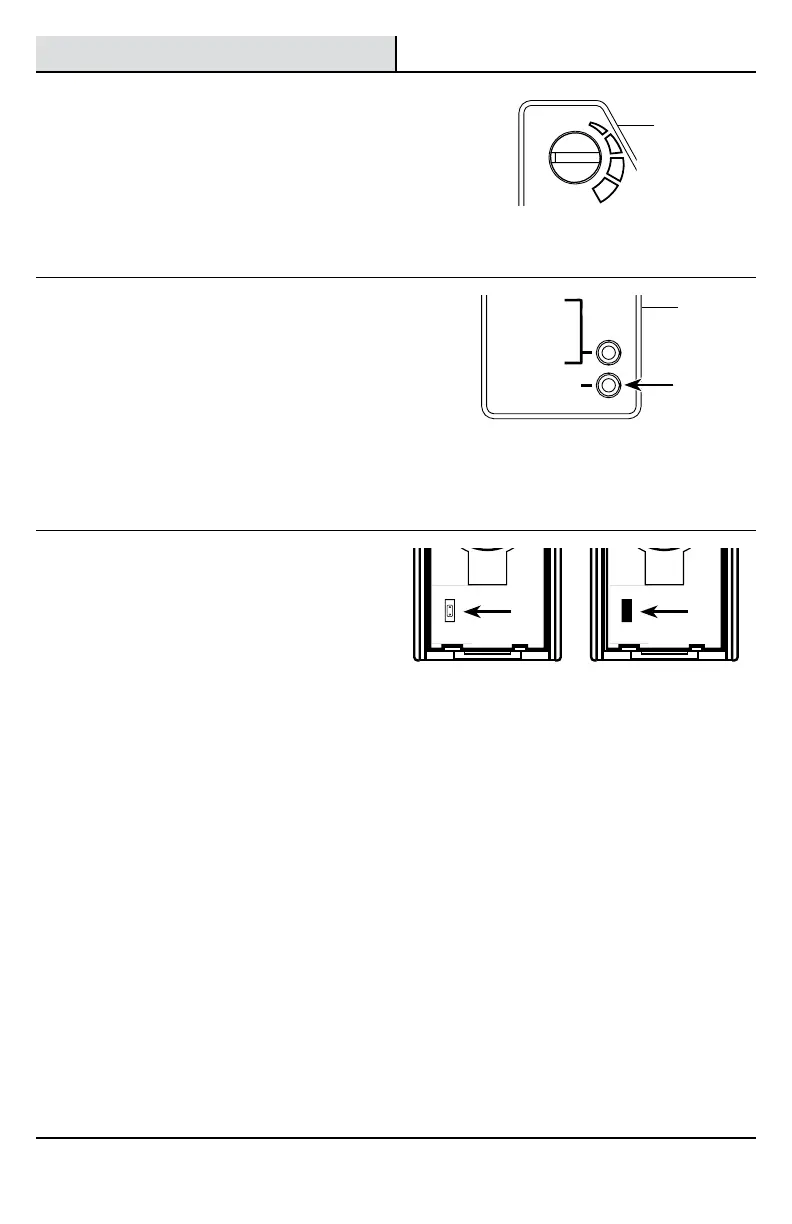
The doorbell base (B) has an adjustable volume
control. Rotate the volume control to adjust the
volume.
□ Remove the doorbell cover (A) from the
doorbell base (B). The doorbell cover (A) is
press fitted to the doorbell base (B).
SYNC – PRESS
AND RELEASE.
RESET – HOLD
10 SECONDS.
C
H
I
M
E
V
O
L
U
M
E
TUNE – HOLD
1 SECOND.
UP
FRONT TRANSREAR
2
Selecting a musical tune -
wired installation
The doorbell base (B) has different selectable tunes.
The wired push button connected to the “REAR”
terminal (see step 4, page 6) will only play Ding-Dong
(two note tune). The wired push button connected to
the “FRONT” terminal (see step 4, page 6) will play any
of the musical tunes. (see step 4, page 9 for tune list)
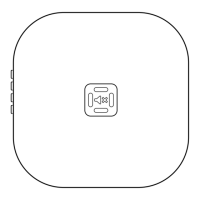
□ Press and release the “TUNE” button on the
doorbell base (B) until the desired “FRONT” tune
is heard.
SYNC – PRESS
AND RELEASE.
RESET – HOLD
10 SECONDS.
TUNE – HOLD
1 SECOND.
3
Setting wireless push buttons
(sold separately)
Wireless push buttons have two options for tune
selection: Play the selected “FRONT” door musical
tune or play the “REAR” door designated tune (Ding-
Dong).
Refer to the manual included with the wireless push
button for additional information.
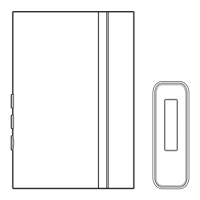
□ Push buttons come from the factory with no
jumper installed on the pins. This setting will
play the “FRONT” door musical tune.
□ To set a push button to play only the Ding-
Dong (“REAR”) tune, add the jumper to the pins
inside the push button.
Push button set as
“FRONT” door – no
jumper on the pins
(Factory Default)
Push button set as
“REAR” door – jumper
is on the pins
ON
1 2
TYPE “C”
TYPE “C”
1 2 3 4 5 6 7 8
ON
1 2
TYPE “C”
TYPE “C”
1 2 3 4 5 6 7 8
B
B


 To Next Page